
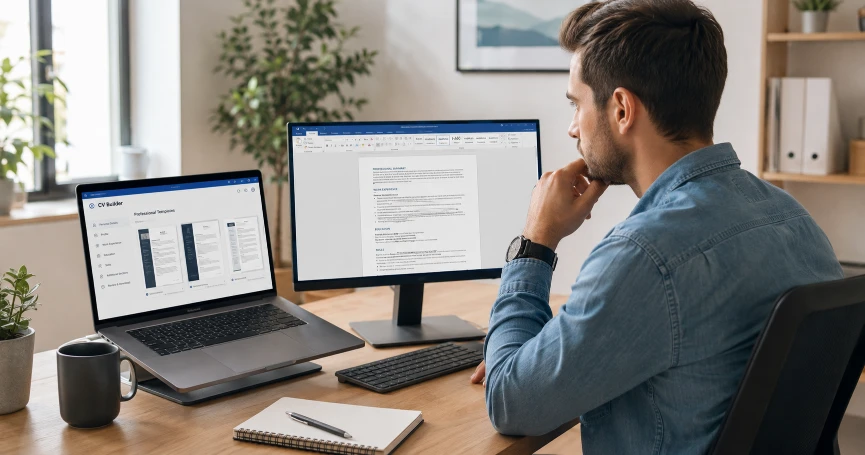
When it comes to creating a CV, most people default to one of two options — Microsoft Word or an online CV maker. Both can produce a professional-looking document, but they work very differently and perform very differently in the situations that matter most — ATS screening, formatting consistency, and ease of use. Choosing the right tool is not just a matter of preference — it can directly affect whether your CV gets past automated screening and into the hands of a recruiter.
This guide compares CV makers and Microsoft Word across every dimension that matters for job seekers — so you can make an informed decision about which tool gives you the best result for your specific situation. You can try our free CV builder right now — no sign-up required.
The Core Difference
Online CV Maker
- Pre-built professional templates — ready to fill in
- ATS-friendly formatting by default
- No design skills needed
- Instant PDF export — clean and consistent
- Guides you through every section
- Works on any device — phone, tablet, laptop
- Always produces a properly formatted PDF
- Free options available with no watermark
Microsoft Word
- Blank page — full formatting control but full formatting responsibility
- ATS compatibility depends on how you build it
- Requires design judgment and formatting skill
- PDF export can introduce formatting errors
- No guidance on what to include
- Desktop software — not always available on all devices
- Formatting can break when opened on different versions
- Requires Microsoft 365 subscription or one-time purchase
Head-to-Head Comparison
| Factor | CV Maker | Microsoft Word |
|---|---|---|
| ATS Compatibility | ✅ Built-in — templates tested for ATS | ⚠️ Depends on how you build it — tables and text boxes break ATS |
| Ease of Use | ✅ Very easy — fill in fields, download | ⚠️ Requires formatting knowledge |
| Professional Design | ✅ Professional templates included | ⚠️ Depends on your design skill |
| PDF Export Quality | ✅ Clean, consistent PDF every time | ⚠️ Can introduce spacing and font errors |
| Cost | ✅ Free options available | ❌ Requires Microsoft 365 subscription |
| Device Compatibility | ✅ Any device with a browser | ❌ Desktop primarily |
| Formatting Consistency | ✅ Always consistent | ⚠️ Can shift when opened on different devices |
| Customisation | ⚠️ Within template constraints | ✅ Fully customisable |
| Guidance | ✅ Prompts for every section | ❌ No guidance — blank page |
| Time to Complete | ✅ 15 to 30 minutes | ⚠️ 1 to 3 hours for first CV |
ATS Compatibility — The Most Important Factor
For most job seekers applying to medium or large companies — ATS compatibility is the most critical factor in choosing a CV creation tool. Read our complete guide on how to pass ATS screening for the full picture.
The Word Problem
Microsoft Word gives you complete control over formatting — which means you can create beautiful, visually complex CVs. But the same features that make Word CVs look impressive to human eyes are often the ones that break ATS parsing:
- Tables used for two-column layouts — ATS frequently cannot read content inside table cells correctly
- Text boxes for sidebar content — ATS often skips text boxes entirely
- Headers and footers containing contact information — some ATS systems cannot read header and footer content
- Smart quotes, em dashes, and special characters — can cause encoding errors in ATS parsing
- PDF conversion issues — when Word exports to PDF, spacing and fonts can shift unexpectedly
The CV Maker Advantage
Good online CV builders — including our free CV builder — are built with ATS compatibility as a core requirement. Every template is designed to produce a clean, text-based PDF that ATS systems can parse correctly from top to bottom. You get professional design without the ATS risk.
When Word Works Better
Microsoft Word is the better choice in specific situations:
- Academic CVs — long, complex academic CVs with publications, grants, and presentations often benefit from Word's full formatting control
- Highly customised CVs — if you have very specific formatting requirements that no template can accommodate
- CVs that must be submitted as editable Word documents — some employers specifically request .docx format
- Experienced designers — professionals with strong design and Word skills who know how to avoid ATS-breaking elements
When a CV Maker Works Better
An online CV builder is the better choice for most job seekers:
- Freshers and first-time CV writers — the guided sections and prompts help you include everything you need without the blank-page paralysis of starting from scratch in Word
- Candidates applying to large companies — ATS compatibility is built in, removing one of the most common points of failure in online applications
- Professionals who update their CV infrequently — returning to a saved CV builder template is faster and easier than reopening a Word file that may have formatting issues
- Anyone who struggles with Word formatting — if you spend more time fighting with Word's formatting than writing your CV content, a builder is clearly the better tool
- Mobile or tablet users — Word's mobile experience is limited; most online CV builders work fully on any browser
The Free Factor
Microsoft Word requires a Microsoft 365 subscription — currently around £80 per year in the UK or equivalent in other markets. Many free alternatives exist — Google Docs being the most widely used — but they share many of Word's ATS compatibility risks when used with complex formatting.
Our free CV builder is completely free — no subscription, no premium tier, no watermark on the downloaded PDF. You build your CV, choose from four professional templates, and download a clean PDF immediately. Read our comparison of free CV makers without watermarks for more on this.
Our Recommendation
For academic and research positions: Microsoft Word gives you the control needed for complex, lengthy academic CVs where ATS is less of a concern and formatting flexibility matters more.
For everyone: Whatever tool you use — test your final PDF with the copy-paste test before submitting any application. If the content does not paste cleanly into a plain text editor — your formatting is causing problems that need to be fixed.
Build Your CV Free — No Word Required
Try our free CV builder — four professional ATS-friendly templates, guided sections for every part of your CV, and clean PDF download in minutes. No Microsoft Word needed. No subscription. No watermark. No sign-up required.
Browse our free CV templates and see which layout suits your career level and target industry best.
Build Your CV Free — No Word Needed →
Frequently Asked Questions
Is a CV maker better than Microsoft Word?
For most job seekers — yes. Online CV builders produce ATS-compatible CVs with professional design, require no formatting skill, and export clean PDFs consistently. Microsoft Word gives more control but requires design knowledge to avoid ATS-breaking elements like tables and text boxes. The most important factor is ATS compatibility — and most Word CV templates fail this without the user realising it.
Can Microsoft Word CVs pass ATS screening?
Yes — if built correctly. A Word CV that avoids tables, text boxes, and header content — and uses standard section headings and clean PDF export — can pass ATS screening. The problem is that most Word CV templates use tables and text boxes for their layouts, which frequently fail ATS parsing. If you use Word, build your CV without tables and test the result with the copy-paste test before submitting.
Is it free to use an online CV builder?
Many online CV builders offer free tiers — but some add watermarks to downloaded PDFs unless you pay. Our free CV builder is completely free with no watermark on the downloaded PDF, no premium tier, and no subscription required. You build your CV and download it immediately at no cost.
Can I edit my CV after downloading it from a CV maker?
This depends on the CV builder. Most online builders allow you to return to your saved CV and make updates before downloading a new version. Our free builder allows unlimited edits — return to your CV anytime, make changes, and download a fresh PDF. If you need a fully editable Word file, some builders offer this as an export option.
What is the best free alternative to Microsoft Word for CVs?
Google Docs is the most widely used free alternative — but it shares many of Word's ATS risks when used with complex formatting. For a dedicated CV tool, an online CV builder purpose-built for job applications is more reliable than a general word processor. Our free CV builder is specifically designed for ATS-compatible CV creation — which a general word processor is not.
Ready to build your CV?
Use our free CV builder — ATS-friendly templates, guided sections, and clean PDF download. No sign-up required.
Build Your CV Free →