
Free CV Templates — Choose a Professional Design
Choose from professionally designed CV templates - free, ATS-friendly, and ready to download as a clean PDF or editable Word file. Whether you are applying for your first job, updating after years of experience, or targeting a senior role, there is a layout here that fits.
No sign-up required. No watermarks. Pick your template, build your CV, and download it free.

Download a CV in Word format
Choose one of these Word-specific layouts when you need an editable DOCX file. PDF templates below still use the normal preview and PDF download flow.

Word Classic
Formal single-column DOCX layout with a centered header, clean section spacing, and optional profile photo.
DOCX
Word Modern Sidebar
Editable two-column Word layout with contact details and skills in a dark sidebar and experience in the main column.
DOCX
Word ATS Simple
Plain single-column DOCX format built for easy editing and safer parsing by applicant tracking systems.
DOCX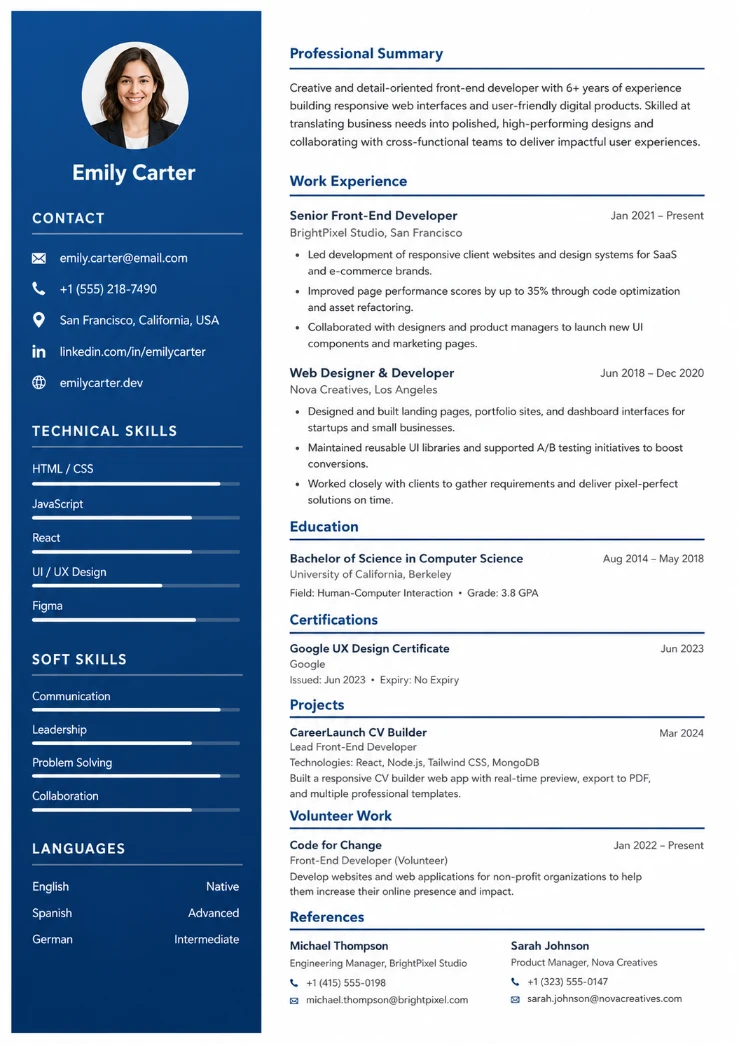
Modern Professional
Clean, modern design with a sidebar layout
No Watermark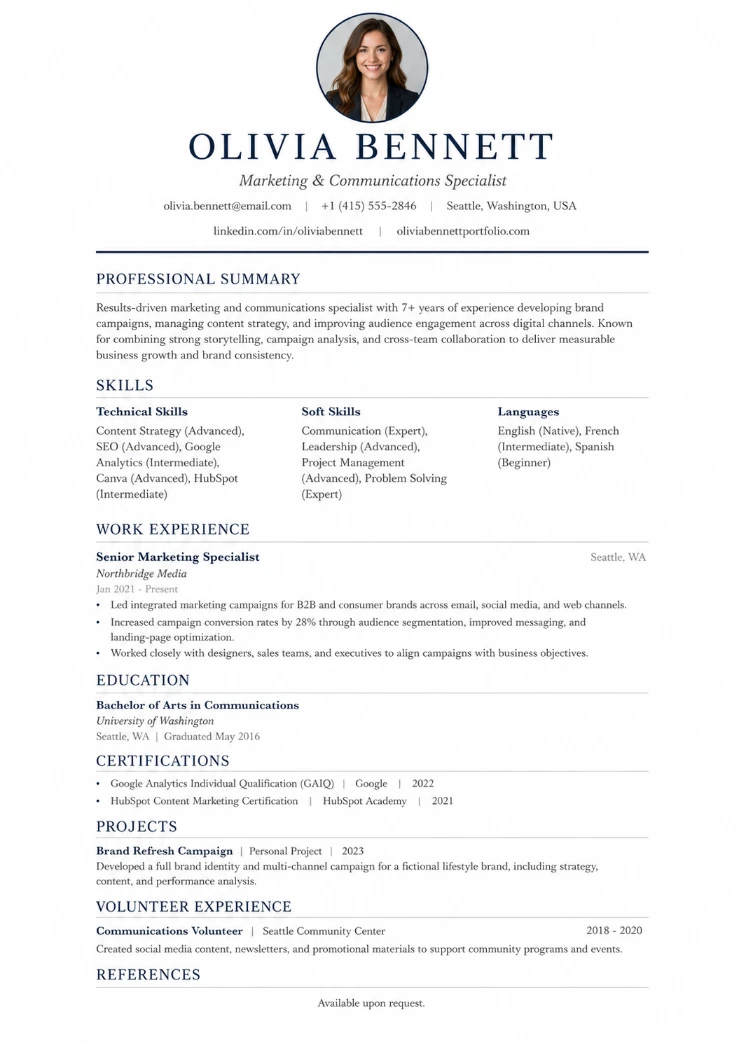
Classic Traditional
Elegant, traditional single-column layout
No Watermark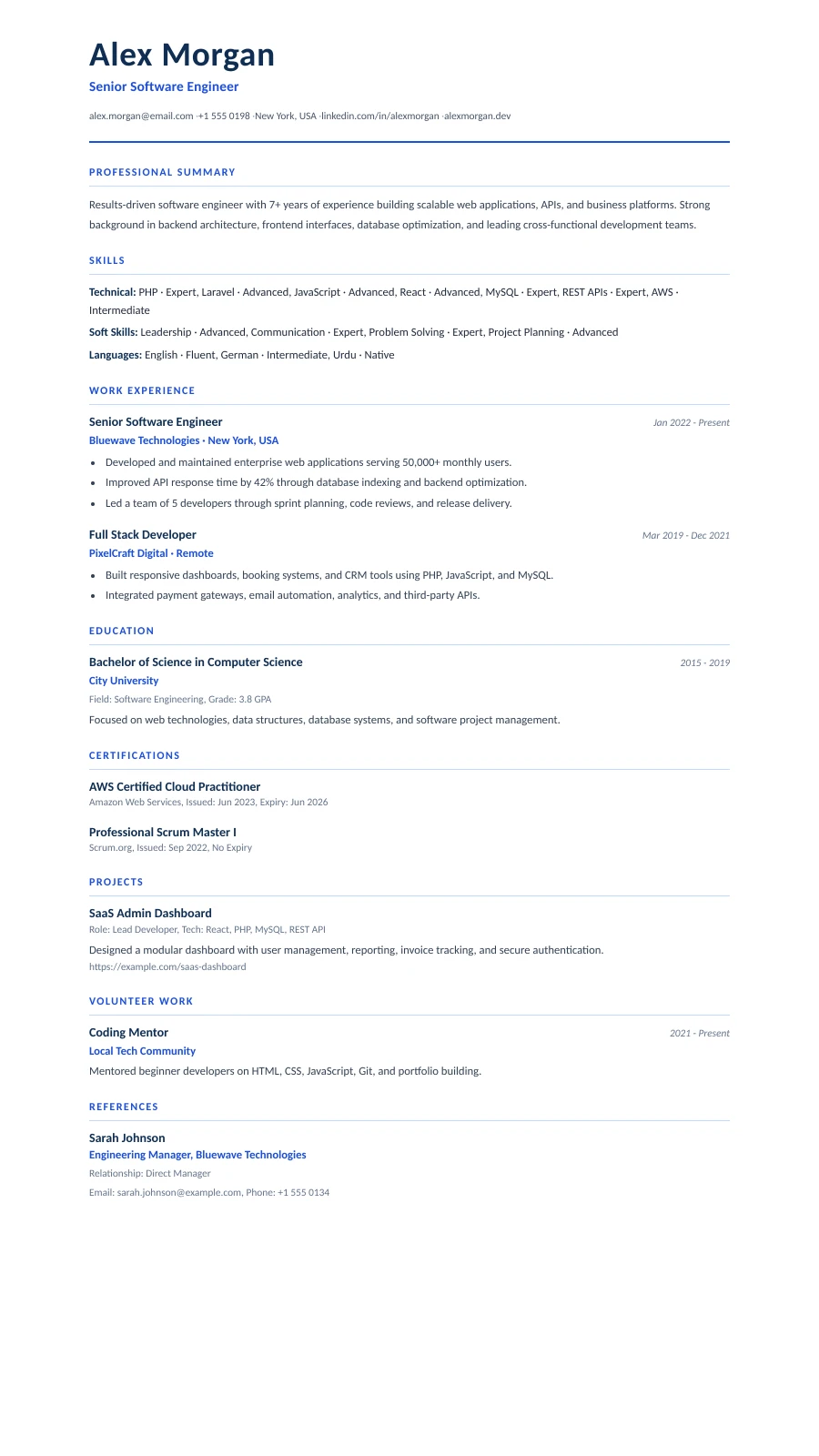
Polished Blue
Clean single-column layout with professional blue accents — ATS-friendly and modern
No Watermark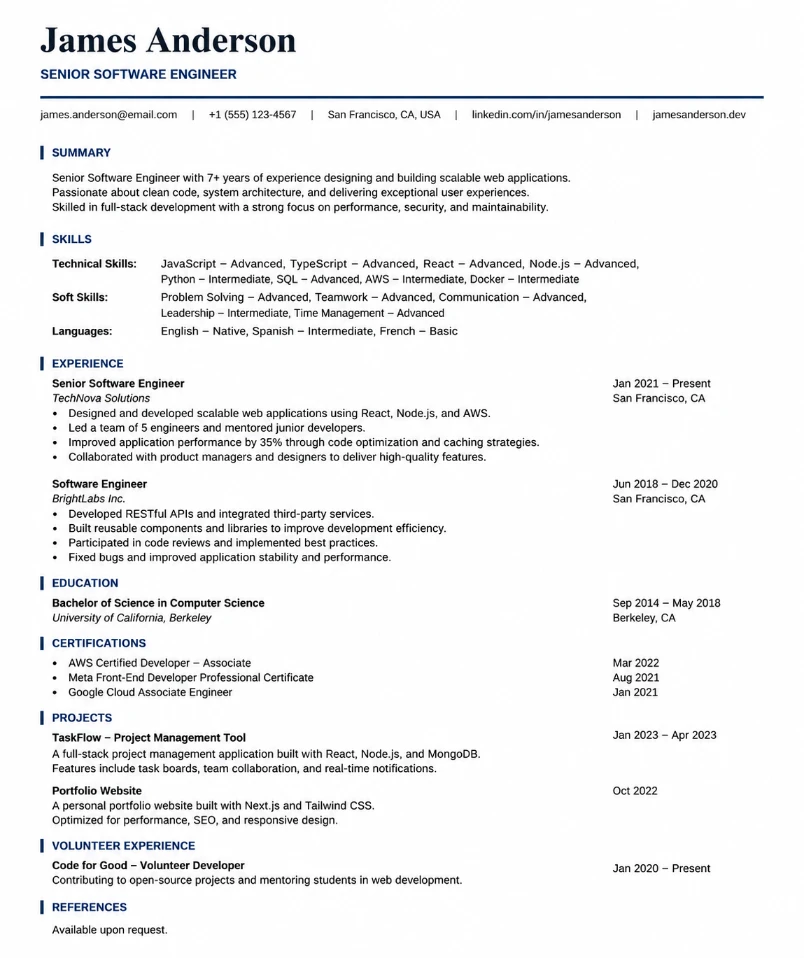
Elegant Minimal
Simple single-column layout with serif name heading, navy section titles, and a clean contact line
No Watermark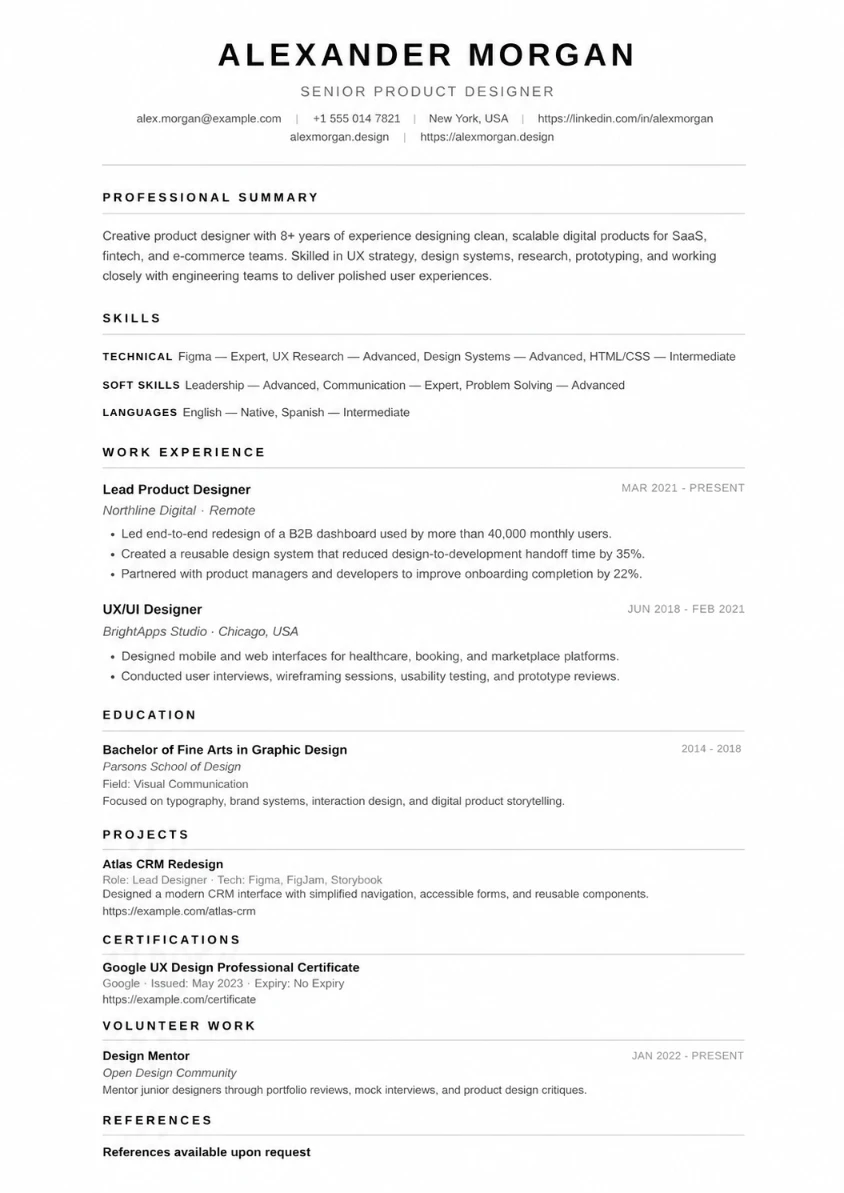
Charcoal Minimal
Minimalist monochrome layout with bold uppercase typography and subtle grayscale dividers — no color, all clarity
No Watermark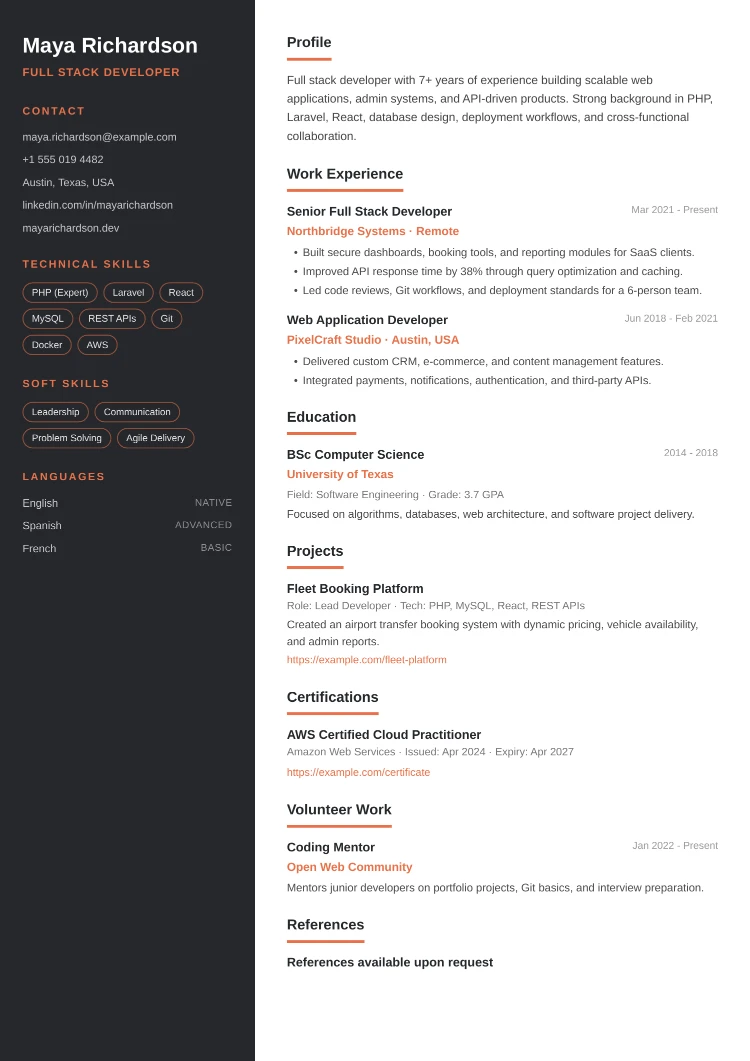
Creative Edge
Two-column layout with a dark sidebar, coral accents, and skill tags — a bold, modern look for design and creative roles
No Watermark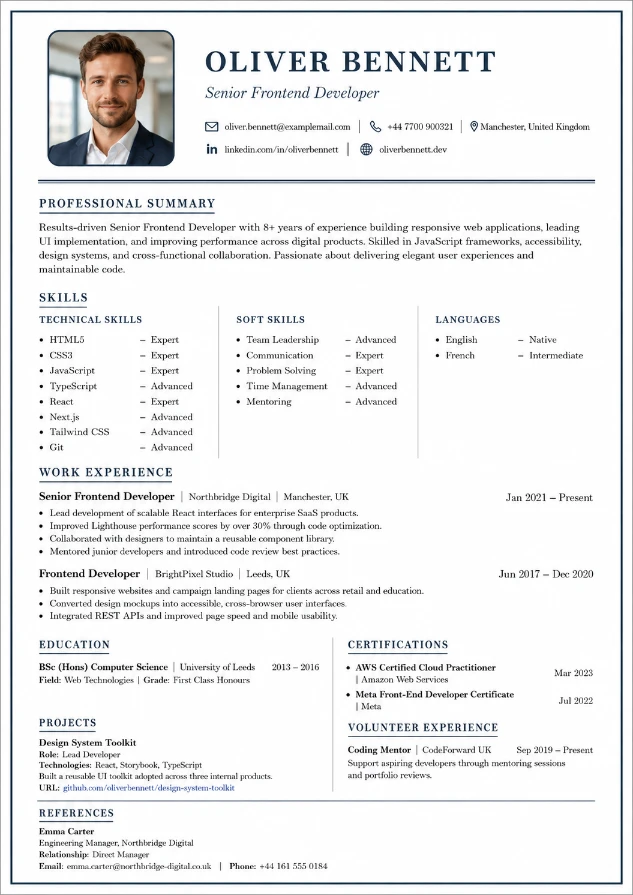
Classic Photo
Classic Traditional layout with a larger, photo-led header — ideal if you want your profile picture front and center
No Watermark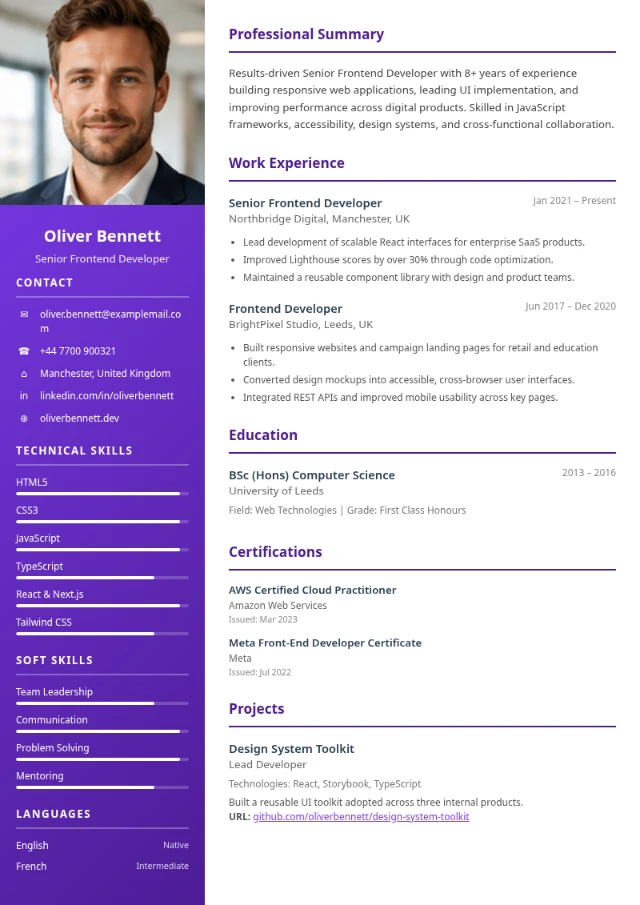
Vibrant Photo
Two-column layout with a bold violet sidebar topped by a full-width profile photo — a striking, modern look that puts your picture front and center
No Watermark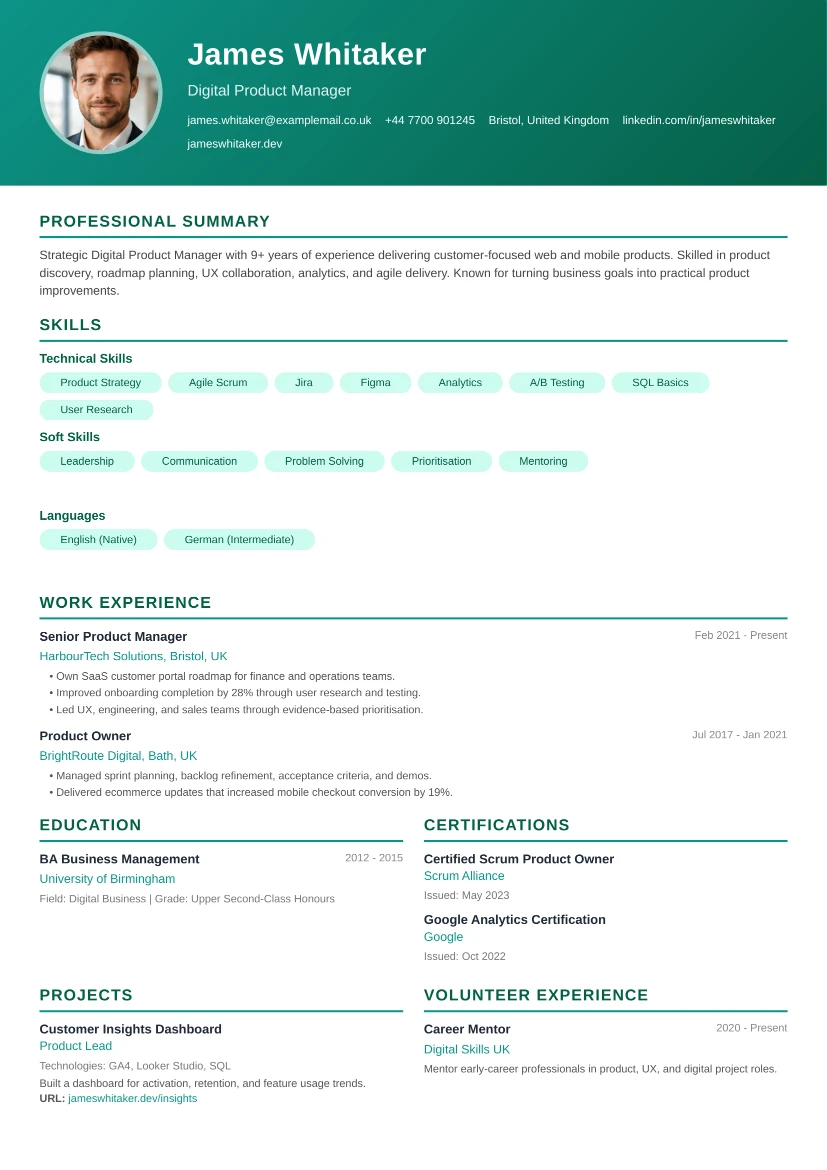
Photo Banner
Single-column layout with a bold teal header banner, a large circular profile photo, and skill tags — clean, confident, and ready to print
No Watermark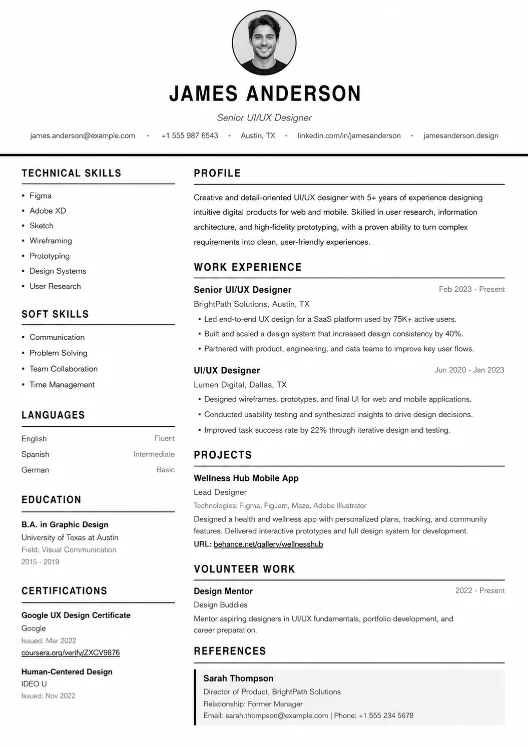
Mono Centered
Black-and-white layout with a centered circular profile photo and centered header, followed by a two-column body — bold, symmetrical, and easy to scan
No Watermark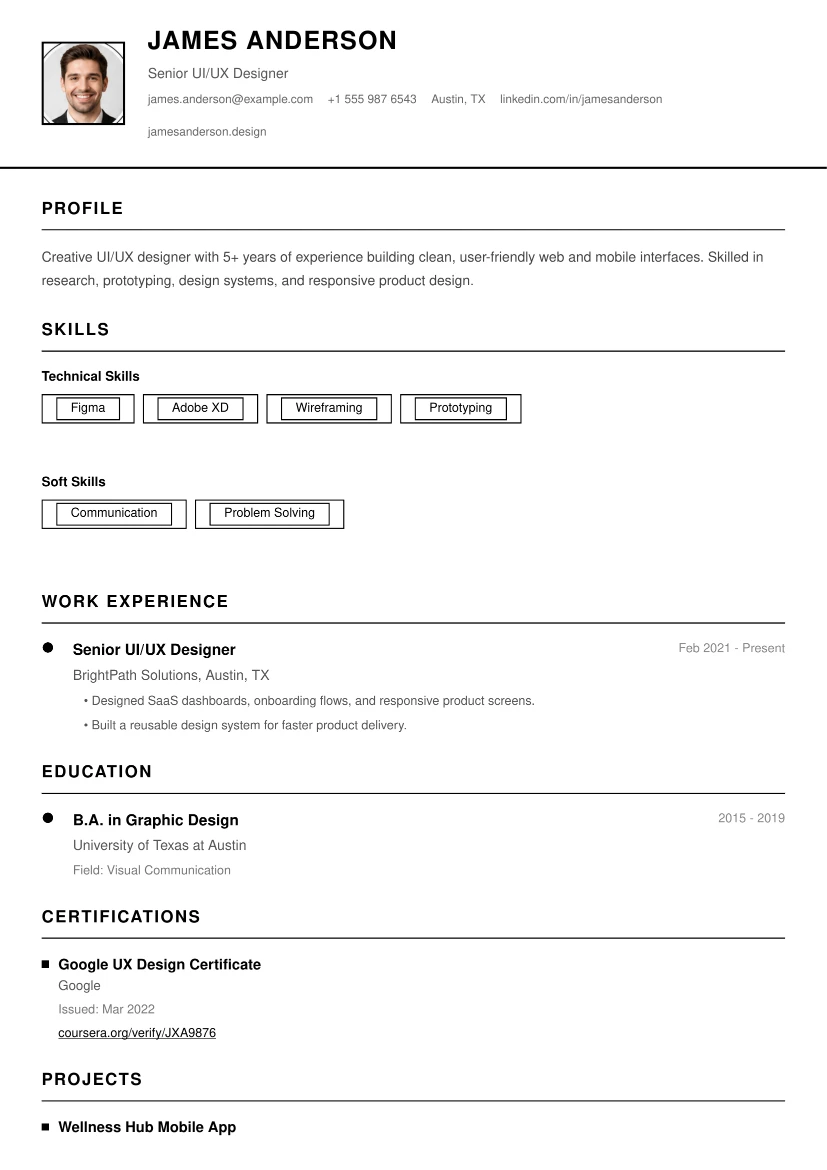
Mono Timeline
Black-and-white layout with a compact photo header bar and a connected vertical timeline for your work history and education
No Watermark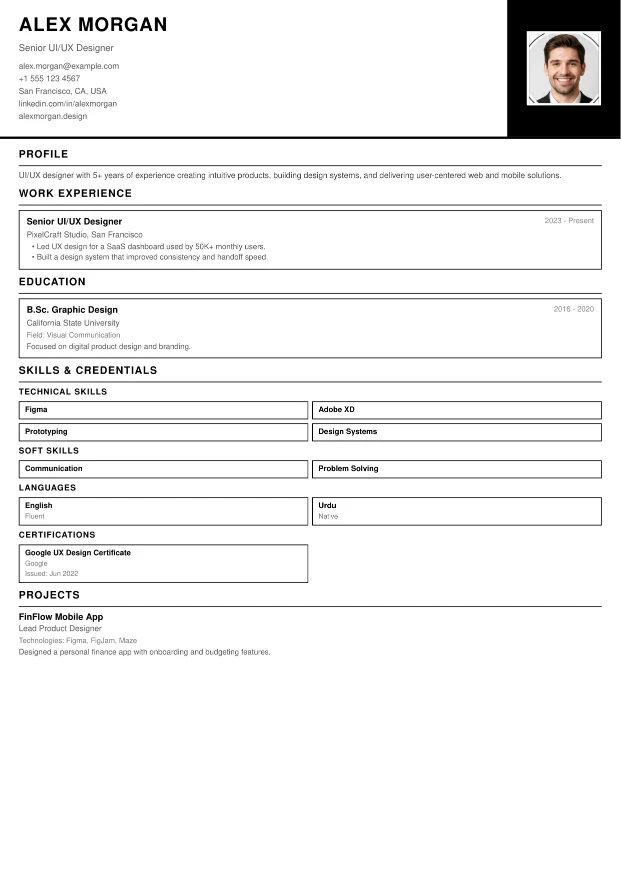
Mono Split
Black-and-white layout with a split header — your details on one side and a bold black photo block on the other — plus a tidy boxed grid for skills and credentials
No Watermark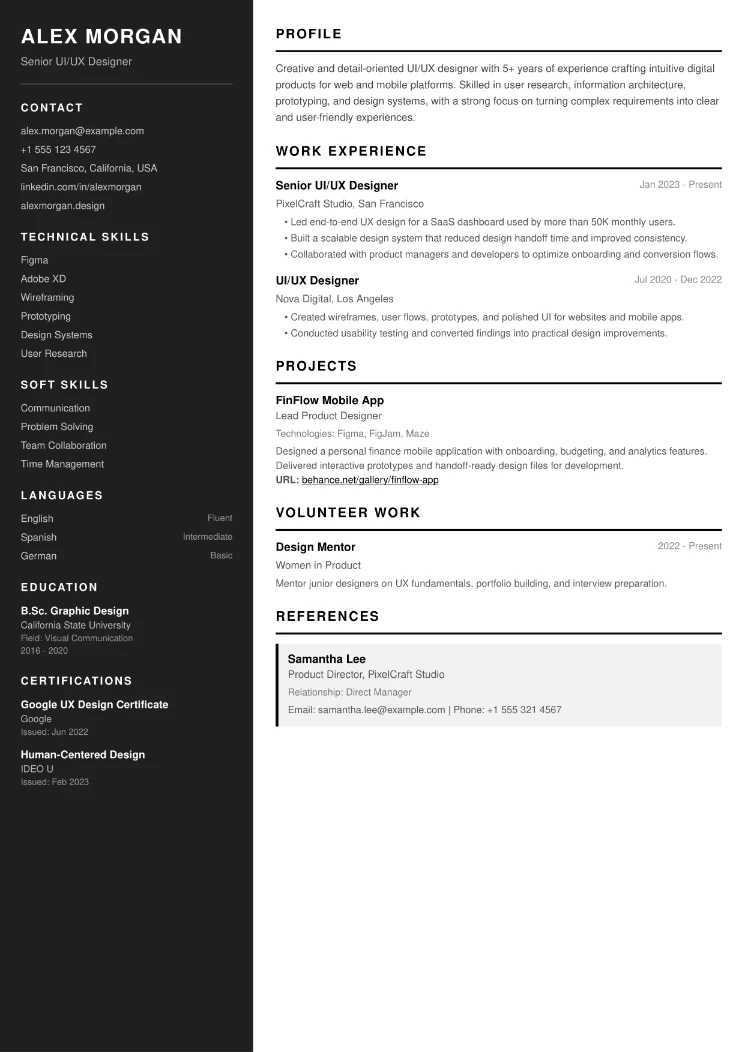
Mono Sidebar
Black-and-white layout with a bold dark sidebar holding your contact details, skills, languages, education, and certifications — no photo required
No Watermark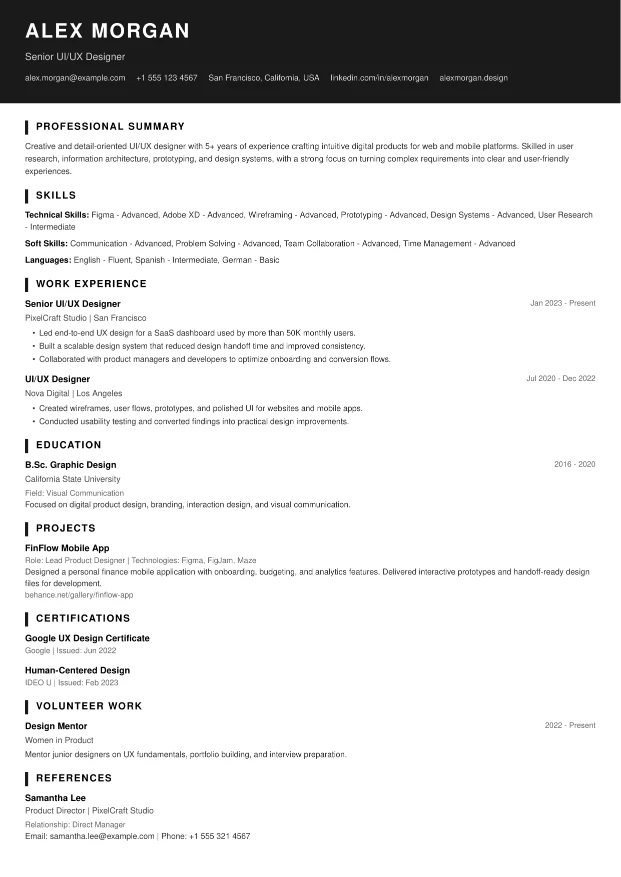
Mono Bold
Black-and-white single-column layout with a bold solid header banner for your name and contact details — simple, ATS-friendly, and no photo needed
No Watermark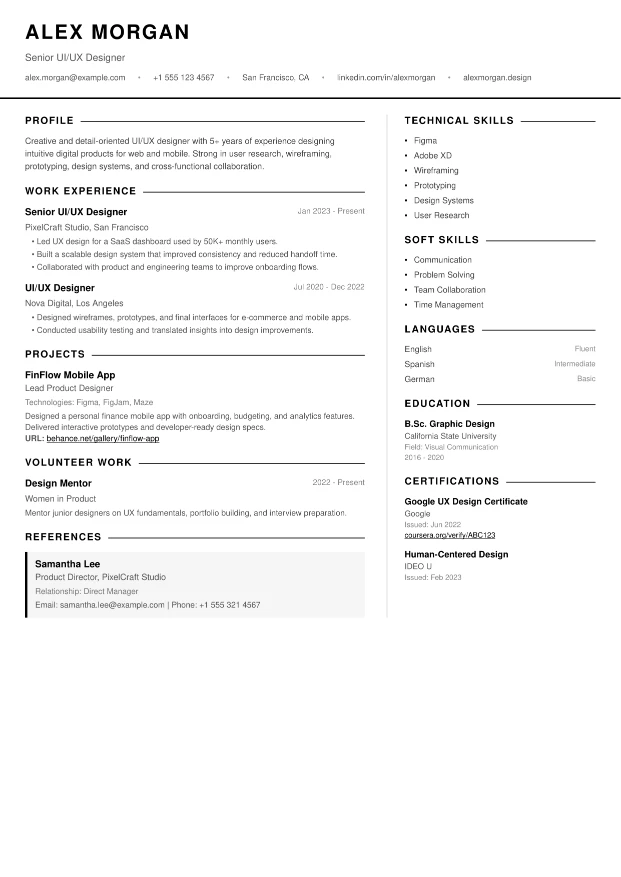
Mono Edge
Black-and-white two-column layout with a clean left-aligned header and a thin vertical divider separating your experience from skills and credentials
No Watermark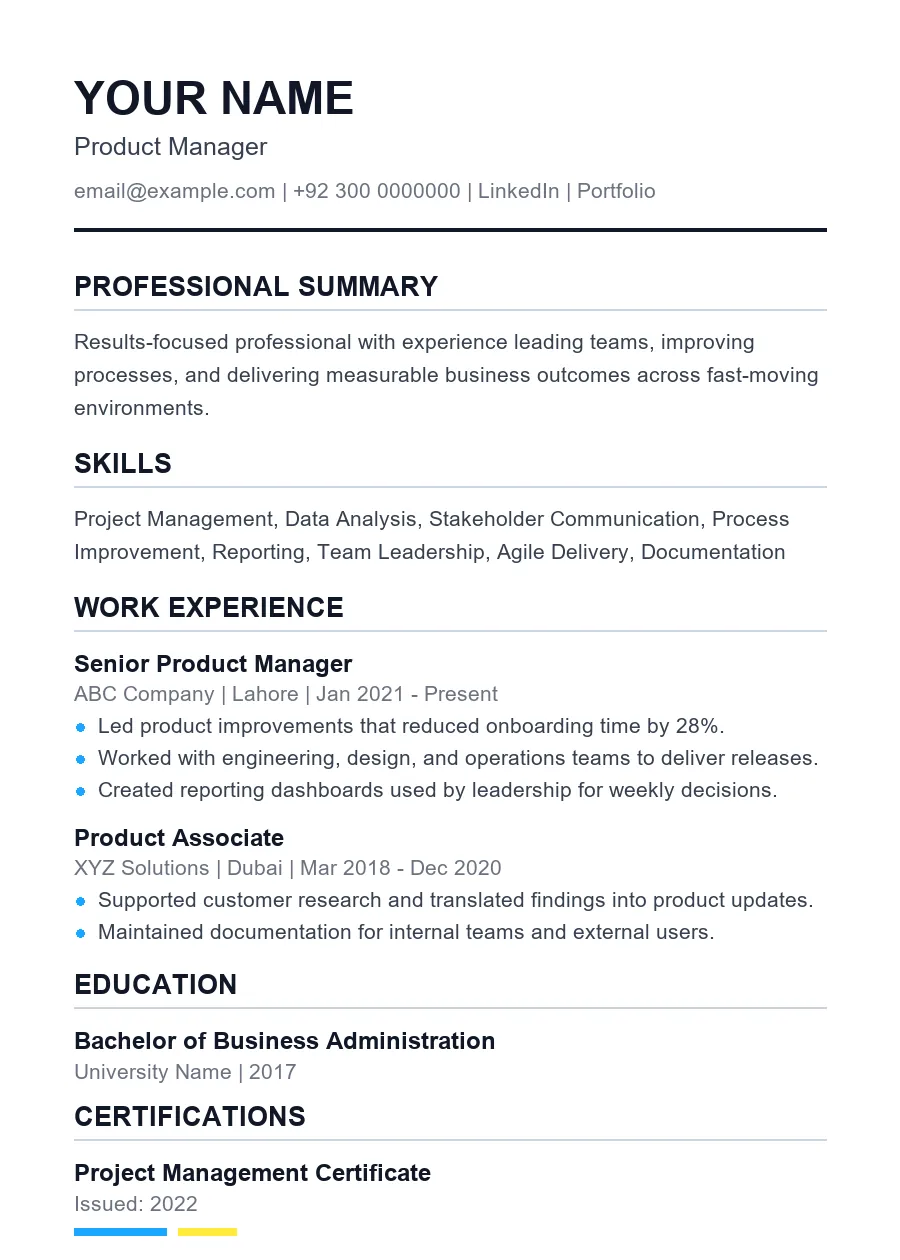
ATS Clean
Simple single-column layout built for easy applicant tracking system parsing
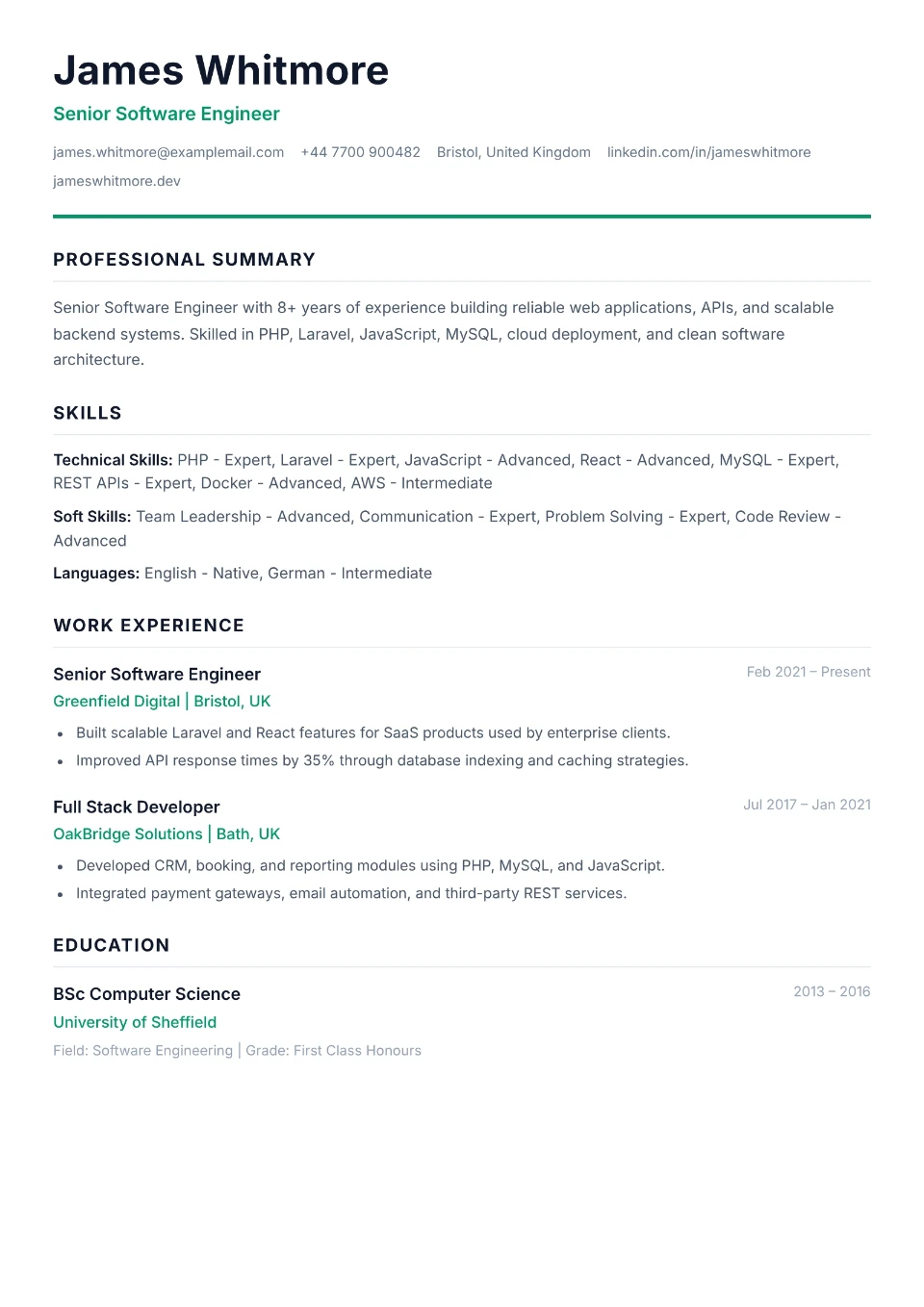
ATS Premium
Refined single-column layout with subtle emerald accents — ATS-friendly with a premium finish
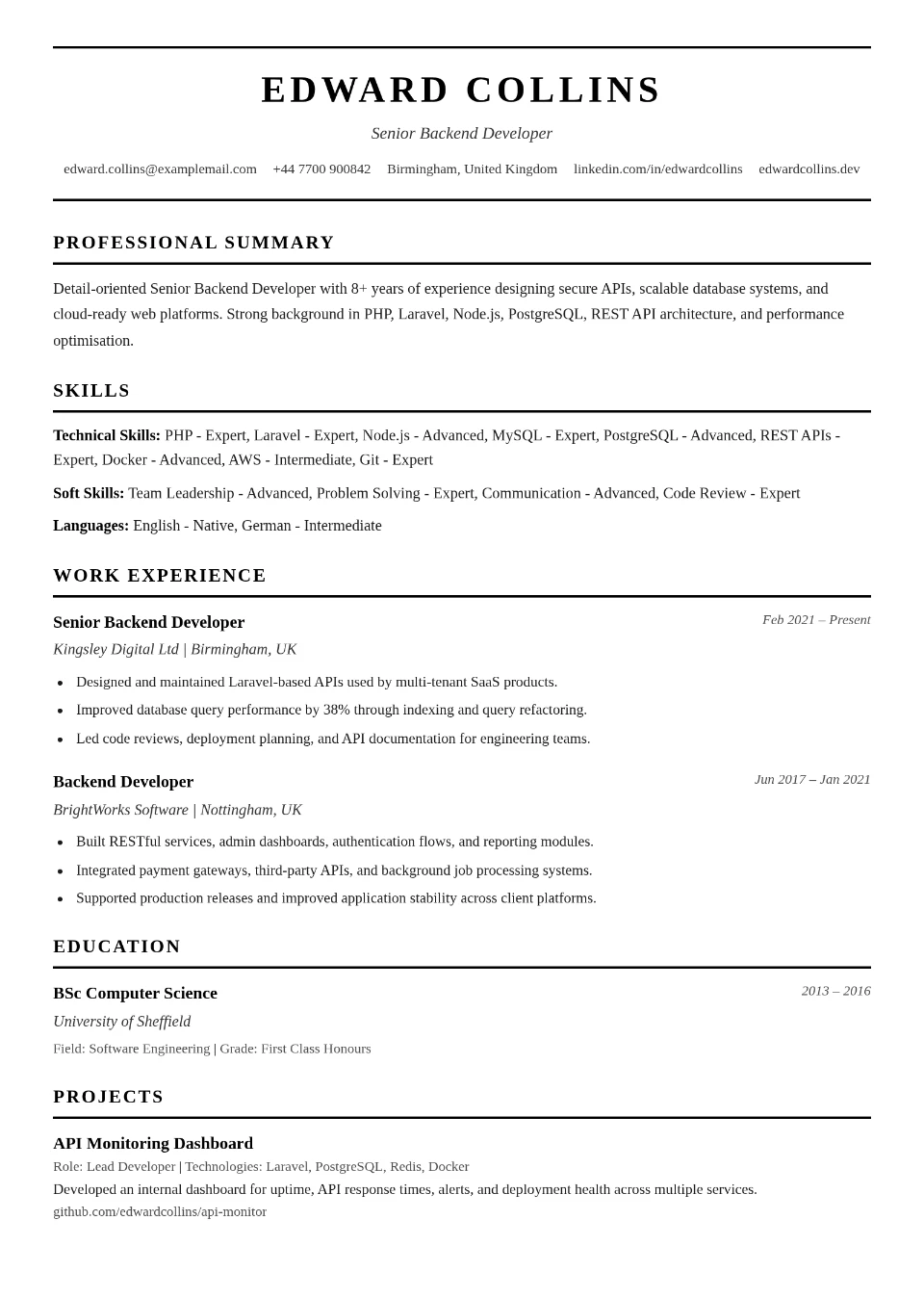
ATS International
Pure black-and-white single-column layout in a formal international CV format — ATS-friendly with no colour distractions
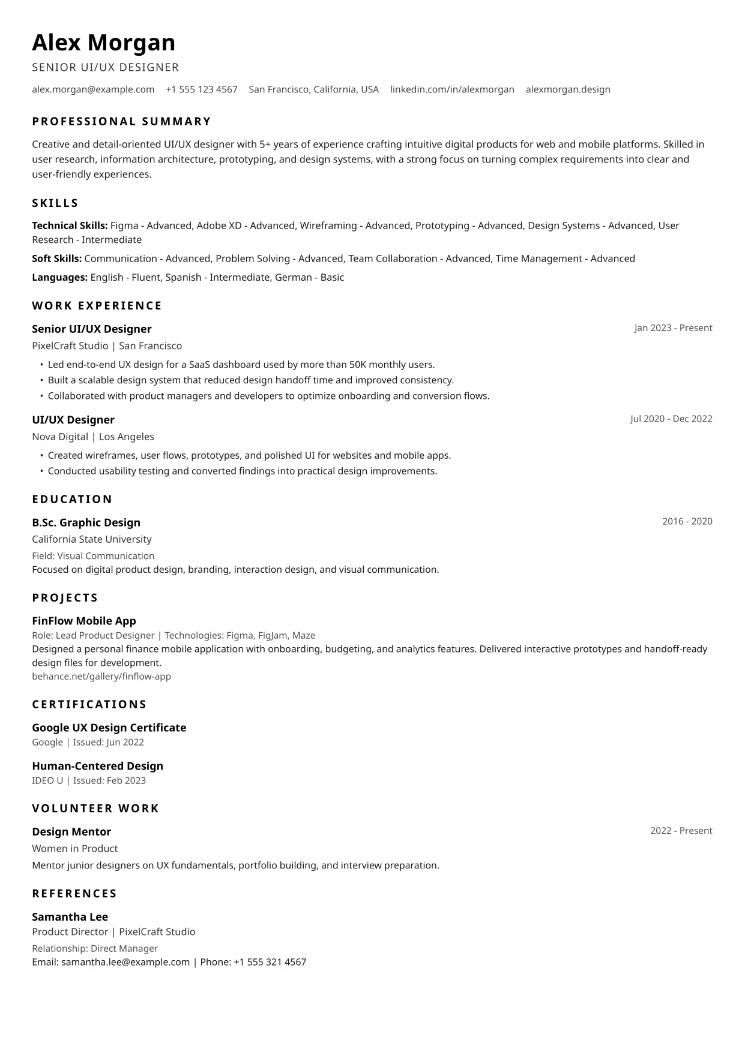
ATS Essential
Black text on a clean white page with a borderless header and minimal section titles — about as ATS-friendly as it gets
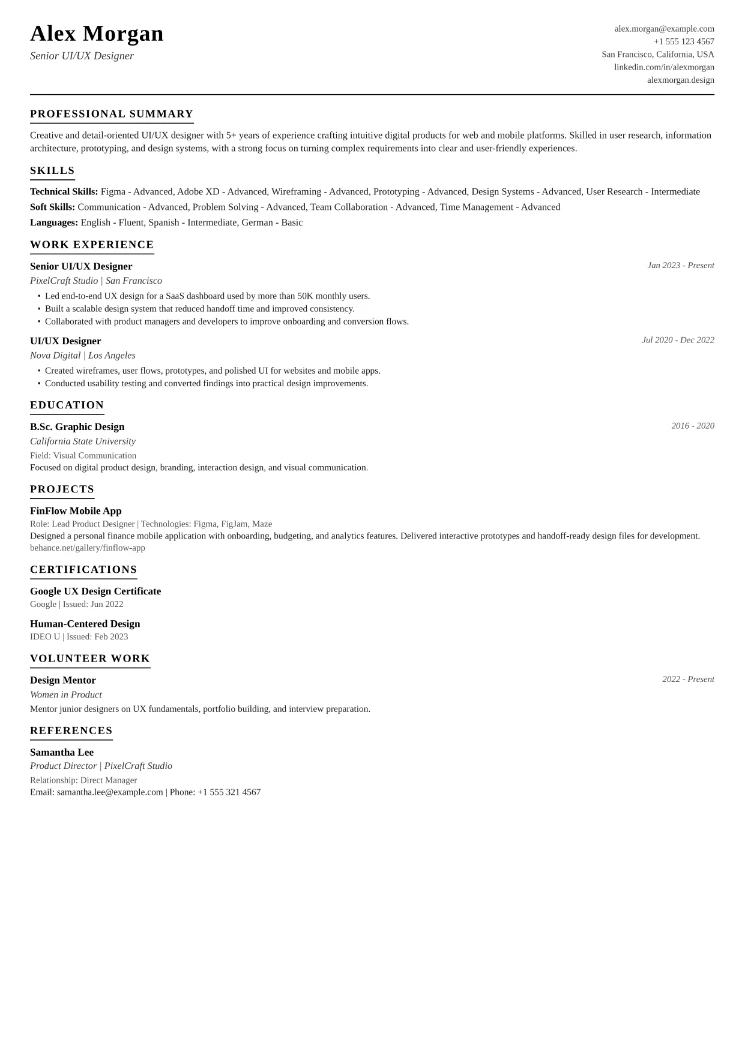
ATS Formal
Letterhead-style header with your name on one side and contact details on the other, finished with a single rule — simple, formal, and ATS-friendly
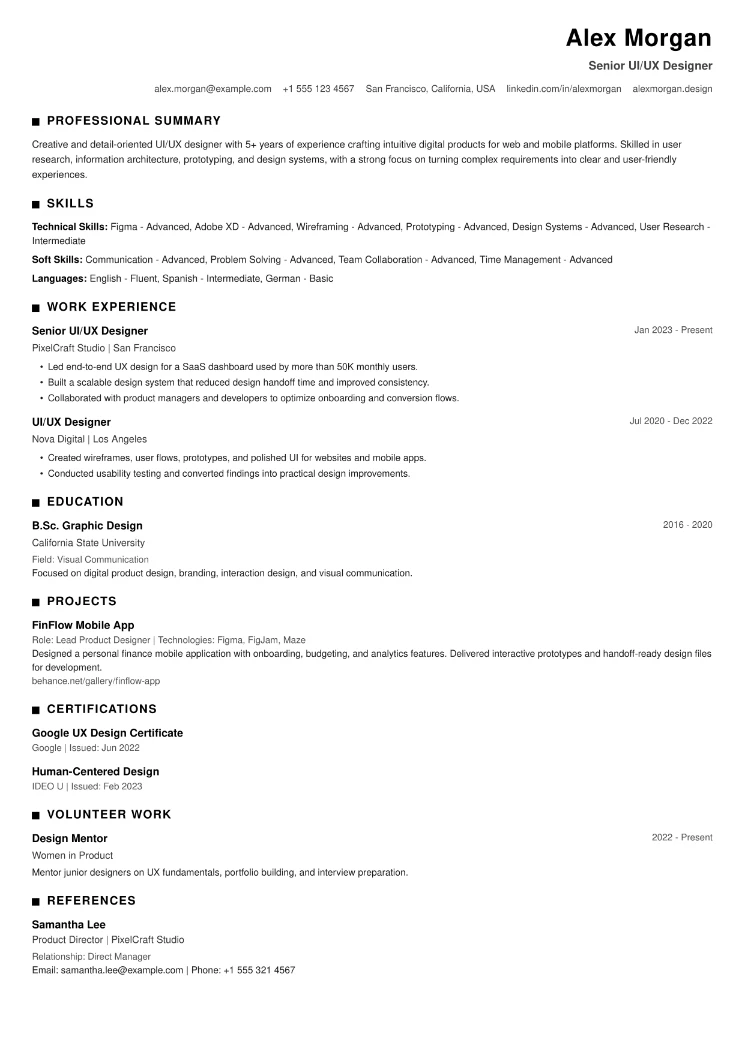
ATS Modern
Right-aligned header and bold square section markers on a plain white page — a modern, simple, ATS-friendly layout
About Our Free CV Templates
Modern Professional
A clean two-column layout that separates your contact details and skills from your main work history. The sidebar design creates a clear visual hierarchy — making it easy for recruiters to scan your most important information in seconds. Best suited for corporate, technology, marketing, finance, and most office-based roles.
Classic Traditional
A single-column format with a formal, structured layout. Every section is clearly labelled and consistently spaced — no visual distractions, just your content presented cleanly. This template works well for government applications, academic roles, legal positions, and any industry where a conservative format signals professionalism.
Executive Grid
A stronger visual header with a structured body layout designed for candidates who want their seniority to come across immediately. The bold header section gives your name and title more weight on the page — suited to senior management, director-level roles, and leadership positions where first impressions carry extra weight.
ATS Clean
A simple single-column layout built specifically to pass applicant tracking system (ATS) screening. No sidebars, no columns, no graphics — just clean, parseable content in the format that ATS software reads best. If you are applying to large companies that use automated screening, this template gives your CV the best chance of reaching a human recruiter.
Polished Blue
A refined single-column layout with professional blue accents on section headings and the candidate's name. Fully ATS-compatible — no sidebars, no graphics — but with a noticeably more polished visual finish than a plain black-and-white template. Well suited for technology, finance, consulting, and any role where you want a professional impression without sacrificing ATS performance.
Elegant Minimal
A single-column layout built around clean typographic hierarchy. The candidate's name is set in a serif typeface for a classic, authoritative feel, with all other content in a clean sans-serif. Section titles are marked by a subtle navy left border rather than horizontal rules or heavy dividers. Contact details sit on a single compact line beneath the name. Fully ATS-compatible — no images, no columns, no tables. Works well for candidates who want a simple, refined design that stands apart from standard ATS templates without introducing any layout risk.
Charcoal Minimal
A purely monochrome, single-column layout that relies on bold uppercase typography and generous spacing instead of color to create structure. The name is set in wide letter-spaced capitals, and section titles are separated by thin grayscale rules rather than colored borders or shaded blocks. Every tone on the page sits somewhere between black and white — nothing competes with your content for attention. Fully ATS-compatible and ideal for candidates who want a sharp, editorial look that prints cleanly in black and white.
Creative Edge
A two-column layout with a dark charcoal sidebar holding your contact details, skills, and languages, paired with a clean white main column for your experience and education. Warm coral accents highlight section titles, role names, and skill tags, giving the design a bold, modern feel without overwhelming the page. Best suited for design, marketing, media, and other creative-industry roles where a touch of personality in your CV is welcomed.
Classic Photo
Built on the same elegant, single-column structure as Classic Traditional, but with a larger photo frame placed front and center in the header alongside your name, job title, and contact details. If you do not upload a photo, the space simply shows your initial instead — so the layout always looks complete. A great choice for candidates who want their picture included, such as for roles or regions where a profile photo on a CV is common practice.
Vibrant Photo
A two-column layout with a bold violet sidebar, topped by a large, full-width profile photo that sets a confident, modern tone from the first glance. Your contact details, skills, and languages sit below the photo in the sidebar, while your experience and education fill the main column. If no photo is uploaded, the space shows your initial on a violet background instead. Best suited for candidates in marketing, sales, hospitality, and other people-facing roles where a strong personal presence on the page works in your favour.
Photo Banner
A single-column layout with a bold teal header banner that holds a large circular profile photo alongside your name, job title, and contact details — followed by a clean white body for the rest of your CV. Skills are presented as neat rounded tags rather than a plain list, giving the page a confident, contemporary feel. If no photo is uploaded, the circular frame shows your initial instead. A strong choice for candidates who want their CV to make an immediate visual impression while remaining easy to read and print.
Mono Centered
A pure black-and-white layout with a centered circular profile photo, name, job title, and contact details at the top, framed by a bold black rule. Below, a two-column body keeps Skills, Languages, Education, and Certifications on one side and your Summary, Experience, Projects, Volunteer work, and References on the other. If no photo is uploaded, the circle shows your initial instead. A symmetrical, poster-style layout for candidates who want a striking but distraction-free black-and-white CV.
Mono Timeline
A pure black-and-white layout with a compact header bar — a small square photo beside your name, job title, and contact details — followed by a single-column body. Work experience and education are presented as a connected vertical timeline with date markers, while skills appear as simple outlined boxes. If no photo is uploaded, the frame shows your initial instead. A clean, chronological layout for candidates who want their career progression to stand out.
Mono Split
A pure black-and-white layout with a split header — your name, job title, and contact details on one side, and a bold solid-black block holding your square profile photo on the other. The body uses bordered cards for Experience and Education, and a tidy boxed grid for Skills, Languages, and Certifications. If no photo is uploaded, the black block shows your initial instead. A bold, structured choice for candidates who want a graphic, no-colour CV.
Mono Sidebar
A pure black-and-white, photo-free layout with a bold dark sidebar running the full height of the page, holding your contact details, skills, languages, education, and certifications in white text. Your summary, experience, projects, volunteer work, and references sit in a clean white main column alongside it. A confident two-tone design in the style of popular online resume builders, with no colour and no photo to worry about.
Mono Bold
A pure black-and-white, single-column layout topped by a bold solid header banner holding your name, job title, and contact details in white text on black. Section titles use a simple black accent bar rather than borders or colour, keeping the whole page easy for applicant tracking systems to read. No photo, no sidebars, no graphics — just a confident, modern header on an otherwise fully ATS-safe layout.
Mono Edge
A pure black-and-white, photo-free layout with a clean left-aligned header for your name, job title, and contact details, followed by a two-column body. Your summary, experience, projects, volunteer work, and references sit in the wider left column, while skills, languages, education, and certifications sit in a narrower right column separated by a thin vertical rule. A tidy, professional layout in the style of popular CV-builder templates.
ATS Premium
A single-column layout built on the same ATS-safe foundation as ATS Clean, with a more refined visual finish — a modern typeface, generous spacing, and subtle emerald accents on the header rule, job titles, and section dividers. No sidebars, no graphics, no tables — fully parseable by applicant tracking systems, but with a more polished look than a plain black-and-white template. A strong choice for candidates who want both ATS safety and a touch of visual refinement.
ATS International
A formal single-column layout in pure black and white, with a centred header framed by simple rule lines, a classic serif typeface, and bold uppercase section titles. No colour, no sidebars, no graphics — just a clean, conservative format recognised across international job markets and fully readable by applicant tracking systems. Ideal for candidates who want the safest, most universally accepted CV format with a polished, professional finish.
ATS Essential
The simplest possible layout: black text on a plain white page, with a left-aligned header and no borders or rules anywhere. Section titles are kept apart only by bold uppercase text and spacing, so there is nothing for an applicant tracking system to trip over. No colour, no sidebars, no decoration — just your information, clearly presented.
ATS Formal
A letterhead-style single-column layout in black and white, with your name and title on the left of the header and your contact details stacked on the right, separated from the rest of the page by a single thin rule. Section titles are underlined to the width of the text only, giving a tidy, formal finish without heavy borders. Fully ATS-friendly, with no colour, sidebars, or graphics.
ATS Modern
A simple single-column layout in black and white with a right-aligned header for your name, title, and contact details, and bold square markers in front of each section title for a modern touch. No borders, no colour, no sidebars — a clean, contemporary take on the classic ATS-friendly CV that stays easy for applicant tracking systems to read.
All Templates Are Free - Including Downloads
Every template on this page is completely free to use. That includes building your CV, editing it, and downloading the finished PDF or Word file. There is no premium tier, no watermark on the downloaded file, and no upgrade screen when you try to save your work.
Pick a template, fill in your details using the guided CV builder, and download a clean PDF that is ready to send to employers, upload to job boards, or attach to direct applications.
Which CV Template Should You Choose?
The right template depends on the role you are applying for and the impression you want to make:
What Makes a Good CV Template?
A CV template earns its place when it does two things well: it presents your information clearly, and it looks appropriate for the industry you are targeting.
The templates on this page were designed with both in mind. Every layout uses standard section headings that ATS systems recognise, clean fonts that are easy to read on screen and in print, and consistent spacing that keeps the page from feeling crowded.
Recruiters typically spend seven seconds on a first scan. A well-structured template helps them find what they are looking for — your name, your current or most recent role, and your key skills — without having to search for it.
Frequently Asked Questions
Are these CV templates really free?
Yes — all four templates are free to use and free to download. You build your CV, choose your template, and download a clean PDF without paying anything or entering card details. No watermarks. No upgrade prompts.
Which template is best for freshers?
The Modern Professional or Classic Traditional template works best for most freshers. Both are clean, readable, and suitable for entry-level applications across a wide range of industries. If you are applying to a large company that uses ATS screening, the ATS Clean template is worth considering.
Which template is best for ATS screening?
The ATS Clean template is built specifically for this purpose — single column, no graphics, standard headings. All four templates are ATS-compatible, but ATS Clean is the most conservative choice if you want to minimise any risk of parsing errors.
Can I change templates after building my CV?
Yes. You can switch between templates at any stage of the CV building process without losing your content. Try different layouts and choose the one that presents your information best before downloading.
Do these templates work for jobs in Pakistan and UAE?
Yes. All four templates produce clean PDFs that work across regional employer expectations — including Pakistan, UAE, Saudi Arabia, UK, and Gulf countries. The layouts are formatted for A4 paper, which is the standard in most markets outside North America.
Start Building Your CV Now
Choose any template above, fill in your details using our free guided CV builder, and download a professional CV - completely free.
Build Your CV Free