
Free CV Builder Online — Create a Professional CV in Minutes
Building a professional CV does not require design skills, expensive software, or hours of formatting work. Our free CV builder gives you everything you need — professionally designed templates, guided sections for every part of your CV, and instant PDF download — completely free, with no sign-up required.
Whether you are writing your first CV or updating an experienced professional's document, our builder handles the structure and formatting automatically so you can focus entirely on the content that matters: your experience, your skills, and your achievements.
Start building your CV right now — it takes fifteen to thirty minutes from start to download.
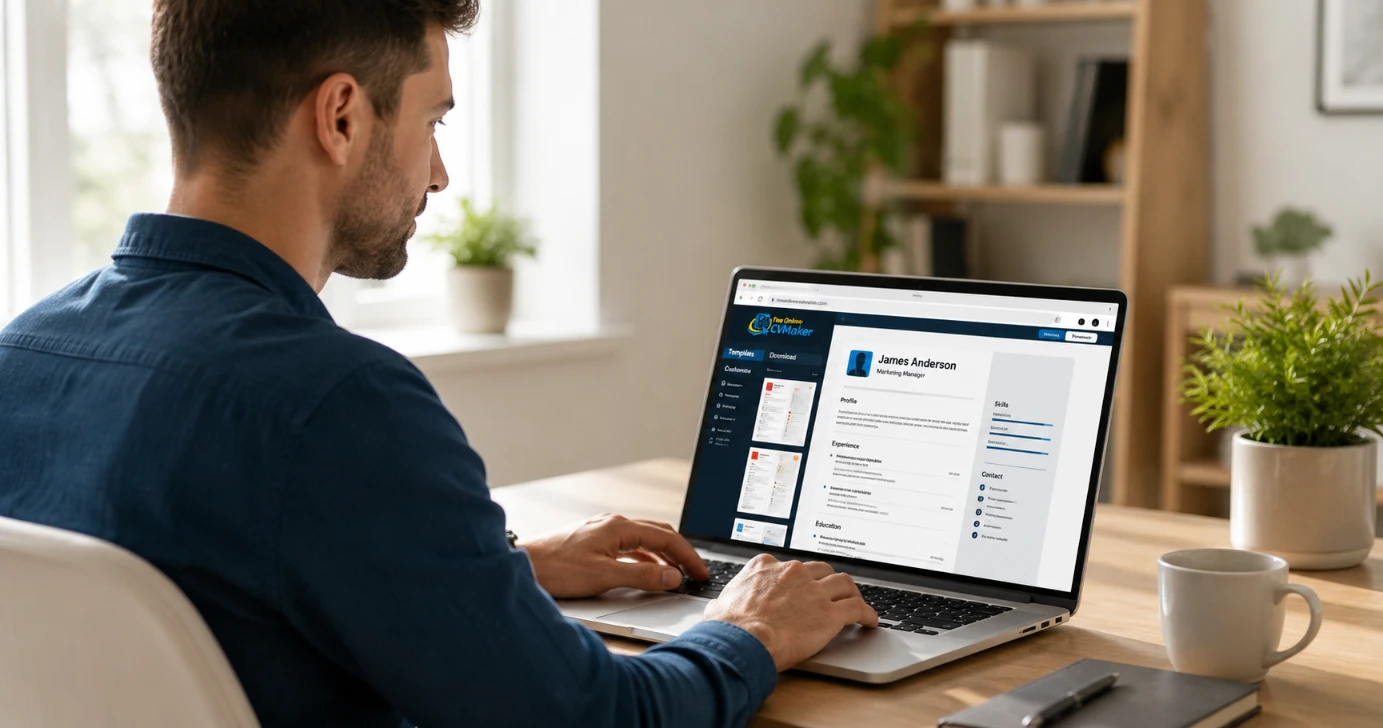
What Our Free CV Builder Gives You
Our CV builder was built specifically to solve the three problems most job seekers face when creating a CV — formatting complexity, ATS compatibility, and hidden costs.
Four Professional ATS-Friendly Templates
Included completely free. Every template in our library is designed for both visual impact and ATS compatibility. No tables, no text boxes, no graphics that break automated screening. Browse all four templates at freeonlinecvmaker.com/templates and choose the layout that suits your career level and target industry.
Step-by-Step Guided Sections
Every section of your CV has structured prompts that help you include the right information in the right format. From your professional summary to your skills section — the builder guides you through each part without leaving you staring at a blank page.
Instant PDF Download
No watermark, no payment, no upgrade prompt. When your CV is complete, click download and your finished document exports as a clean, properly formatted PDF immediately. The file is ready to attach to any job application.
No Sign-Up Required
Start building immediately without creating an account or providing an email address. No trial period, no subscription, no hidden costs at any stage.
Works on Any Device
Phone, tablet, or laptop. Build your CV wherever you are and download it directly to your device.
Zero Cost
Completely free at every stage. No premium tier, no watermark on the downloaded PDF, no features locked behind a paywall.
The Four CV Templates — All Free
Every template in our free CV builder is ATS-tested and professionally designed. Here is which template works best for your situation:
Modern Professional — Best for Corporate, Technology, Finance, and Marketing Roles
A clean two-column layout that places your contact details and skills in a sidebar while keeping the main column focused on your work experience and achievements. Works well across most professional industries and all experience levels from graduate to senior management.
Classic Traditional — Best for Government, Academic, Legal, and Conservative Industry Applications
A single-column format with a formal, structured layout where every section is clearly labelled and consistently spaced. The most reliable choice for traditional employers and formal sector applications.
Executive Grid — Best for Senior Management, Director-Level, and Leadership Roles
A bold header gives your name and professional title strong visual weight on the page — immediately signalling seniority before a recruiter reads a word of your content. Designed specifically for the managers and executives who need their seniority to be immediately apparent.
ATS Clean — Best for Large Company Applications Where Automated Screening Is Almost Certain
The simplest, most ATS-compatible layout in our template library — single column, no decorative elements, standard headings throughout. If you are applying to large Pakistani corporations, multinationals, or Gulf employers with high application volumes — this template gives your CV the best possible chance of passing automated screening.
Read our guide on how to pass ATS screening for more on why template choice matters for automated processing.
How to Build Your CV — Step by Step
Building your CV with our free builder takes fifteen to thirty minutes from start to download. Here is the complete process:
Step 1 — Choose Your Template
Visit freeonlinecvmaker.com/templates and select the layout that suits your career level and target industry. When in doubt — ATS Clean is the safest choice for most online applications.
Step 2 — Fill In Your Personal Information
Enter your name, professional title, phone number, email address, city, and LinkedIn URL. For Pakistan and Gulf applications — a professional photo and your nationality. For UK and North American applications — omit photo and personal details. Double-check every detail — a typo in your phone number means a recruiter who wants to call you cannot reach you.
Step 3 — Write Your Professional Summary
Three to five lines introducing who you are, your strongest credential, and what kind of role you are targeting. Write this section last if possible — after completing your work experience and skills, you will have a clearer picture of your strongest points. Read our guide on how to write a CV personal statement for examples at every level.
Step 4 — Add Your Work Experience
List your roles in reverse chronological order — most recent first. For each role — job title, employer, dates, and three to five achievement-focused bullet points starting with strong action verbs. Every bullet point should describe an outcome, not a duty. Read our guide on how to list work experience on a CV for the full approach.
Step 5 — Add Your Education
Most recent qualification first. For freshers and students — education leads your CV above work experience. For experienced professionals — education sits toward the bottom. Read our guide on how to write the education section on a CV for full guidance.
Step 6 — Add Your Skills
Technical skills, software, tools, language skills — specific and relevant to your target role. Match your language to the keywords in the job description you are applying for. Read our guide on how to write the CV skills section for what to include.
Step 7 — Review and Download
Read your complete CV out loud — you catch errors reading aloud that your eyes miss silently. Confirm all contact details are correct and all links work. Then click download — your clean PDF is ready immediately.
Who Our CV Builder Is For
Our free CV builder is designed to work well for every type of job seeker — at every career level and in every market.
Freshers and Students
Writing their first CV with no formal work experience. Our guided sections help you identify and present everything relevant — academic projects, skills, extracurricular activities, and any informal work experience. Read our dedicated guides for CV for freshers and CV for students.
Recent Graduates
Transitioning from education to employment and applying to multiple roles simultaneously. The builder makes it fast to create tailored versions for different applications. Read our CV for graduates guide.
Experienced Professionals
Updating an existing CV or creating a new one for a career move. The guided sections help you present your achievements in the most compelling format. Read our guides for CV for managers and CV for senior professionals.
Career Changers
Who need to present transferable skills and frame a transition compellingly. The hybrid template structure supports both skills-led and chronological presentations. Read our CV for career changers guide.
Candidates Returning to Work
After a career gap, parental leave, or period of illness. The builder helps you structure your full career history — including gap periods — professionally and honestly. Read our returning to work CV guide.
Job Seekers in Pakistan and Gulf Markets
Applying locally or targeting UAE, Saudi Arabia, and other Gulf employers. All templates are suitable for Pakistan and Gulf CV conventions. Read our dedicated guides for Pakistan CV format and UAE CV format.
International Job Seekers
Targeting UK, Australia, Canada, Germany, or other international markets. Our templates follow internationally recognised formatting conventions. Read our international CV guide for market-specific adjustments.
Why Our CV Builder Is Better Than Word or Google Docs
Most job seekers default to Microsoft Word or Google Docs when creating a CV — but both come with significant disadvantages that our dedicated CV builder avoids.
ATS Compatibility Is Guaranteed
Many Word and Google Docs CV templates use tables and text boxes for their layouts — formatting elements that frequently fail ATS parsing. When an ATS cannot correctly read your CV, it may score zero in automated screening regardless of your experience. Every template in our builder is ATS-tested — no tables, no text boxes, no graphics that break parsing. Read our guide on CV maker vs Word for the full comparison.
No Formatting Risk
Word documents can shift formatting when opened on different devices or different versions of Office. Google Docs exports can introduce spacing and font inconsistencies. Our PDF exports are clean and consistent every time — your CV looks exactly the same on every device and every screen.
Guidance Built In
A blank Word document gives you no help with what to include or how to present it. Our builder prompts you through every section — reducing the time it takes to complete your CV and improving the quality of what you include.
Completely Free With No Watermark
Word requires a Microsoft 365 subscription. Google Docs is free but with ATS risks. Our builder is completely free — no subscription, no watermark on the downloaded PDF, no premium tier. Read our guide on free CV makers without watermarks for more on why watermarks matter.
Ready to Build Your CV?
Our free CV builder is available right now — no sign-up, no payment, no watermark. Build your CV and download a clean PDF in under thirty minutes.
Build Your CV Free