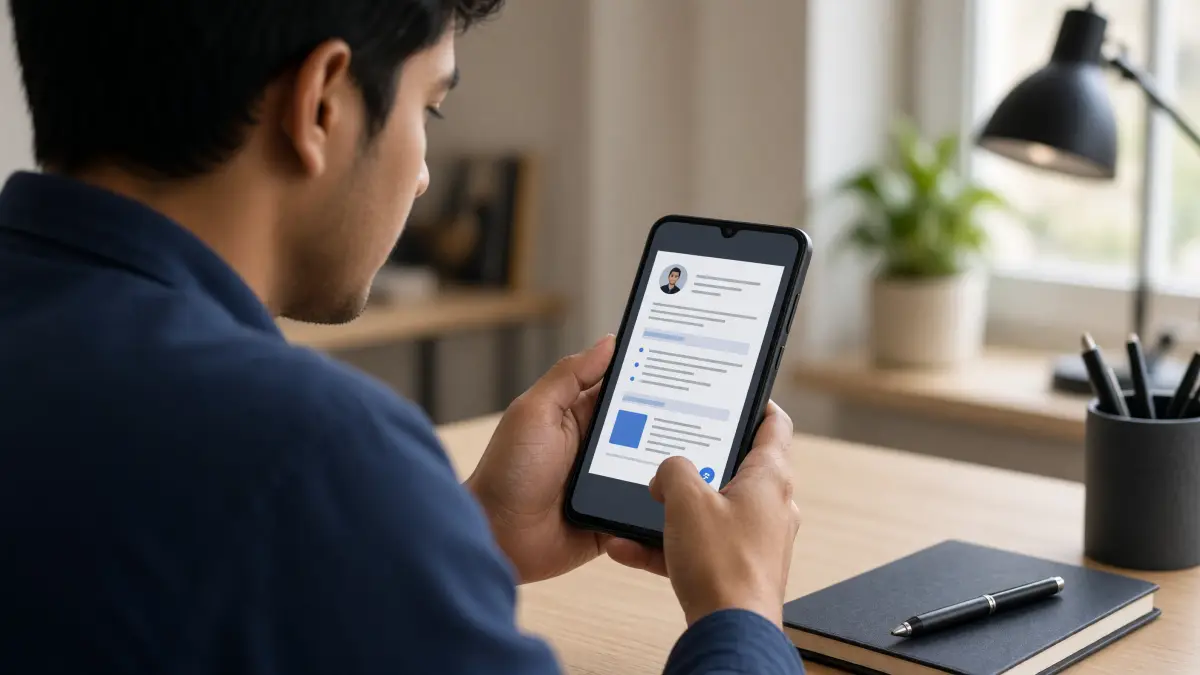
Your phone is already in your hand — so why not use it to build a professional CV right now? Whether you're applying for your first job, switching careers, or updating an old CV on the go, you can build your CV free directly from your Android phone in under 20 minutes. No laptop, no expensive software, no design skills required.
This guide walks you through every step of making a CV on an Android phone — from choosing the right tool and filling in each section, to downloading a polished PDF you can send to employers immediately. We'll also cover common mobile CV mistakes and how to avoid them, so your finished document looks just as sharp as anything produced on a desktop. Let's get started.
Why Making a CV on Your Android Phone Is Completely Viable
A few years ago, building a professional CV on a mobile device felt like a compromise. Tiny keyboards, clunky formatting, and apps that slapped watermarks on your finished PDF made the whole process frustrating. That's changed significantly. Browser-based CV builders now render perfectly on Android, giving you full access to professional templates, real-time previews, and one-click PDF downloads — all without installing anything.
The practical advantages are real. You can fill in a job application during a commute, update your work history the moment you finish a project, or send a tailored CV within minutes of spotting a great opportunity. For job seekers in fast-moving markets — particularly in regions like the UAE, Gulf countries, and Pakistan where mobile internet usage is extremely high — building a CV on Android isn't just convenient, it's often the primary workflow.
The key is using the right tool. A browser-based CV maker that's optimised for mobile will save you enormous frustration compared to trying to format a Word document on a small screen.
Step-by-Step: How to Make Your CV on an Android Phone
Follow these steps exactly and you'll have a complete, professional CV ready to download in one session.
- Open your browser and go to freeonlinecvmaker.com. No app download is needed. The site is fully mobile-responsive and works on Chrome, Firefox, and Samsung Internet. Tap create your CV online to begin immediately — no account, no email address required.
- Choose a template. Browse the available CV templates and select one that suits your industry. Clean, single-column layouts tend to work best when built on mobile because they're easier to fill in section by section. If you're in tech, check out the software engineer CV template; if you're in healthcare, the nurse CV template or doctor CV template are purpose-built for your field.
- Fill in your personal details. Start with your full name, phone number, professional email address, and your city or region. On Android, use your phone's autocomplete carefully — it can insert incorrect words into professional fields. Always double-check your contact details before moving on.
- Write your personal statement. This is a 3–4 sentence summary at the top of your CV that tells employers who you are and what you bring. Keep it concise and role-specific. If you're not sure how to write this section, read our CV personal statement guide for detailed examples.
- Add your work experience. List your most recent role first. For each position, include your job title, employer name, dates of employment, and 3–5 bullet points describing your responsibilities and achievements. Use action verbs (managed, delivered, reduced, increased) and be specific about results where possible. Our guide on how to list work experience on a CV has practical examples you can adapt.
- Add your education. List your highest qualification first — degree, diploma, or secondary school certificate — with the institution name and graduation year. If you're a recent graduate or student, you may want to expand this section with relevant modules or academic achievements.
- Add your skills. Include a mix of hard skills (specific tools, software, languages) and soft skills (communication, problem-solving). Be selective — a focused list of 8–10 relevant skills is more effective than a sprawling list of 20. See our guide to writing your CV skills section for tips on choosing the right ones.
- Review, preview, and download. Use the live preview to check how your CV looks formatted. Scroll through every section carefully. On a mobile screen, it's easy to miss a typo or a misaligned section. Once you're satisfied, download your CV as a PDF. It will be clean, professional, and completely watermark-free.
Mobile CV Mistakes to Avoid
Building a CV on Android introduces a few specific pitfalls that desktop users rarely encounter. Here's what to watch out for:
❌ Don't vs ✅ Do
| ❌ Don't | ✅ Do |
|---|---|
| Rely on autocorrect for job titles and employer names | Manually type and double-check all proper nouns |
| Use a Word document or Google Docs on mobile — formatting breaks | Use a browser-based CV builder designed for mobile |
| Fill in your CV in one rushed sitting without reviewing | Save progress and review your CV on a larger screen if possible before sending |
| Submit a CV with your phone's predictive text errors still in it | Read every field aloud quietly to catch awkward phrasing |
| Use an overly decorative template that doesn't pass ATS filters | Choose a clean template and learn how to pass ATS screening |
Tailoring Your Mobile CV for Specific Jobs and Regions
A generic CV sent to every employer rarely performs well. Even on mobile, you should take 5–10 minutes to tailor your CV for each application. This means adjusting your personal statement, reordering your skills to match the job description, and using keywords from the vacancy listing. Our guide on how to tailor your CV for a job explains the exact process.
If you're applying to roles in specific countries, formatting expectations vary. Employers in the UK, Australia, and Canada generally prefer a 1–2 page CV with no photo. In Saudi Arabia and other Gulf markets, a photo and nationality are often included. Make sure your CV format matches the expectations of the country you're targeting — getting this wrong can result in immediate rejection regardless of your qualifications.
If you're a fresher or student building your first CV on your phone, focus on your education, any internships or part-time work, and transferable skills. Our dedicated CV builder for freshers and CV for students pages have templates and guidance built specifically for early-career applicants.
Getting the Most Out of a Free CV Maker App on Android
The best CV maker apps for Android are the ones that don't require you to create an account, don't lock your finished CV behind a paywall, and don't add a watermark to your PDF. These restrictions are more common than you'd think — many popular apps advertise themselves as free but charge you at the download stage.
freeonlinecvmaker.com has no signup, no subscription, and no watermark — ever. Your CV is yours the moment you download it. This matters particularly if you're applying to multiple jobs and need to create slightly different versions of your CV quickly. You can return to the builder, make adjustments, and download a fresh PDF without any friction.
For a broader comparison of free tools, read our article on the best free CV makers online and our breakdown of CV makers without watermarks. If you've previously used Microsoft Word and want to understand how a dedicated builder compares, our CV maker vs Word guide covers the key differences.
What to Do After You've Downloaded Your CV
Downloading your CV is the beginning, not the end. Here's how to make the most of your finished document:
- Save it with a professional filename. Use something like John-Smith-CV-2025.pdf rather than document1.pdf or my-cv-final-FINAL.pdf. Recruiters see hundreds of files — a clean filename signals professionalism immediately.
- Email it to yourself first. Open the PDF on your phone and on a desktop or laptop if possible. Check that all formatting has held, fonts look correct, and no sections have been cut off.
- Share directly from your phone. Most job application portals accept PDF uploads from your phone's file manager or Google Drive. You can attach and submit your CV without ever touching a computer.
- Keep a master version and tailored versions. Store your master CV in Google Drive or your phone's downloads folder. When you apply for a specific role, open the builder again, make targeted changes, and download a new version with a job-specific filename.
- Proofread one final time. Even if you've checked it twice already, read through the PDF version with fresh eyes. Errors that are easy to miss in an editor often jump out in a finished document. If you're unsure what common errors look like, our CV mistakes to avoid guide covers the most frequent ones.
Build Your Professional CV — Free
Your Android phone has everything you need to create a professional, ATS-friendly CV right now. There's no reason to wait until you're at a desk. Pick a clean template, work through each section methodically, download your PDF, and start applying. The entire process takes less time than most people expect — and the result is a document you can be genuinely proud of.
Ready to get started? Start building your CV now — completely free, no signup, no watermark, and fully optimised for mobile. Your next job opportunity is closer than you think.
Frequently Asked Questions
Can I really make a professional CV on my Android phone?
Yes, absolutely. Browser-based CV builders like freeonlinecvmaker.com are fully mobile-responsive and work seamlessly on Android. You can choose a template, fill in all your details, preview the result, and download a professional PDF — all from your phone, with no app installation required.
Do I need to download an app to make a CV on Android?
No. freeonlinecvmaker.com works directly in your Android browser — Chrome, Firefox, or Samsung Internet. There's nothing to install, no account to create, and no subscription to sign up for. Just open the site and start building your CV immediately.
Will my CV have a watermark if I build it on my phone?
Not with freeonlinecvmaker.com. Unlike many apps that charge you to remove a watermark at the download stage, this builder is completely free with no watermark ever — whether you're using a desktop or an Android phone.
How long does it take to make a CV on an Android phone?
Most people complete a full CV in 15–25 minutes. If you have your key information ready — job titles, dates, qualifications, and skills — you can work through each section quickly. Having your details in your phone's notes app beforehand speeds the process up significantly.
Can I make different versions of my CV for different jobs on my phone?
Yes. Return to the CV builder, adjust your personal statement, reorder your skills, and update any section to match the specific job you're applying for. Download each version as a separate PDF with a descriptive filename. This tailoring approach significantly improves your chances of getting interviews.
Ready to build your CV?
Use our free CV builder — ATS-friendly templates, guided sections, and clean PDF download. No sign-up required.
Build Your CV Free →