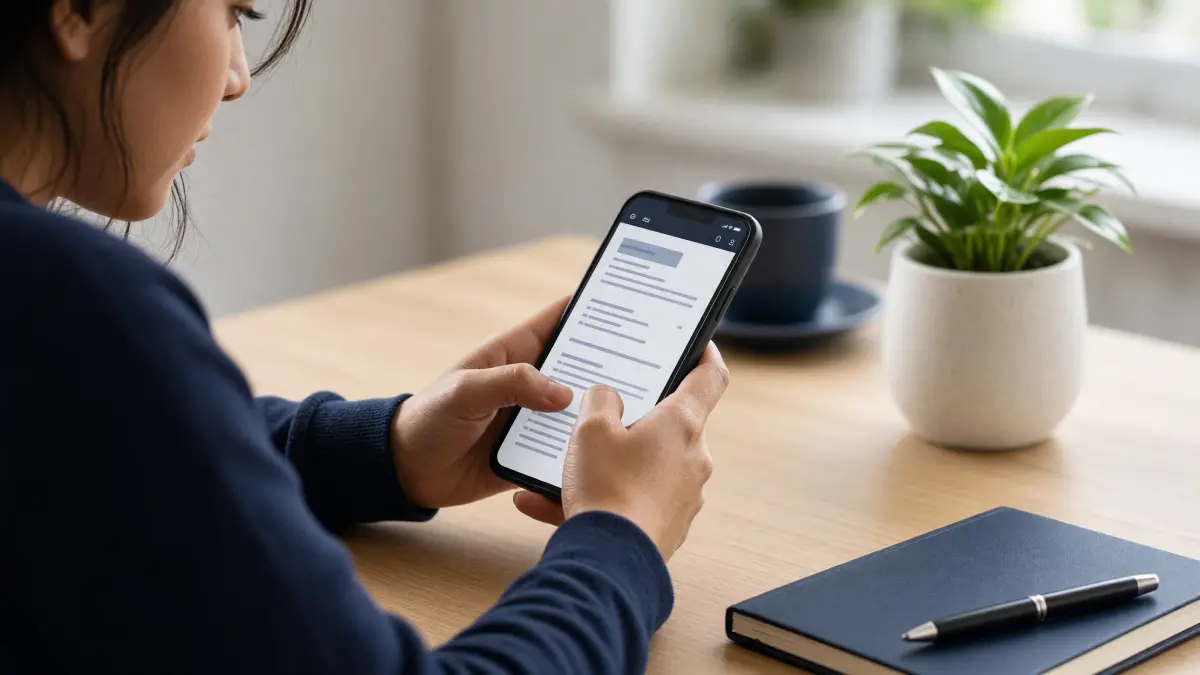
Your phone is already in your hand — so why not use it to land your next job? Whether you're commuting, waiting in a queue, or simply away from a laptop, you can make a CV on your phone in under 30 minutes and have a recruiter-ready PDF ready to send. This guide covers everything: the best free mobile CV builder apps in 2026, a step-by-step process for building your CV on a small screen, common mobile CV mistakes to avoid, and how to make sure your finished CV actually gets past automated screening systems.
If you want to skip straight to building, head over to the free CV builder — it works perfectly on any smartphone browser, requires zero signup, and never adds a watermark to your download. Otherwise, read on for the complete mobile CV building guide.
Why Building a CV on Your Phone Is Completely Viable in 2026
A few years ago, building a professional CV on a phone felt like a compromise. Tiny keyboards, poorly optimised websites, and apps that locked your finished file behind a paywall made the whole process frustrating. That has changed dramatically. Browser technology has improved, responsive design is now standard, and a wave of genuinely free tools — including web-based builders that run flawlessly on mobile — have made the phone a legitimate CV-building device.
According to job-platform data, a growing share of job applications are now submitted directly from mobile devices. That means recruiters are already used to receiving CVs created on phones. The only thing that matters is whether your finished document looks polished and professional — not which device you used to create it.
The key advantage of building your CV on your phone is speed and convenience. You can update a skills section while on the bus, tailor your personal statement for a specific role during a lunch break, and email the PDF to a recruiter before you've even got home. If you've been putting off updating your CV because you "need to find time at a computer," your phone removes that excuse entirely.
For a broader look at how online tools compare to desktop software, check out our guide on CV maker vs Word — the same principles apply whether you're on a phone or a laptop.
The Best Free Mobile CV Maker Apps and Tools in 2026
Not all mobile CV tools are equal. Some are genuinely free; others show you a polished preview and then demand payment before you can download. Here's an honest breakdown of your best options:
1. FreeOnlineCVMaker.com (Browser-Based — Recommended)
The free online CV maker at FreeOnlineCVMaker.com is fully optimised for mobile browsers. Open it in Chrome or Safari on your phone, fill in your details section by section, choose from clean professional templates, and download a watermark-free PDF — all without creating an account. Because it runs in your browser, there's nothing to install and no storage used on your device. This is the fastest route to a finished CV on a phone.
2. Canva (App — Free Tier)
Canva's mobile app offers attractive CV templates. The free tier is generous, but be aware that some premium templates require a paid subscription. Canva CVs are also design-heavy, which can cause issues with Applicant Tracking Systems (ATS) — the software employers use to filter applications. If you're applying to corporate roles, prioritise a clean, ATS-friendly layout over a visually striking one. Read more about how to pass ATS screening before choosing a highly designed template.
3. Microsoft Word Mobile (App — Free with Limitations)
Word on mobile is free for documents under a certain size if you're using it on a phone. It gives you full formatting control, but starting from a blank page on a small screen is genuinely difficult. A better approach is to download one of our printable CV templates and edit it in Word mobile — this saves you from wrestling with margins and fonts.
4. Google Docs (Browser or App — Fully Free)
Google Docs works well on mobile and is completely free. The main limitation is that you're responsible for all formatting yourself. If you already have a CV saved in Google Drive, updating it on your phone via the Docs app is straightforward. For building from scratch, a dedicated CV builder is faster.
5. LinkedIn's CV Export Feature
If your LinkedIn profile is up to date, you can export it as a basic PDF CV directly from the LinkedIn app. This is a useful emergency option, but the output is rarely formatted to a professional standard. Treat it as a starting point, not a finished document.
Step-by-Step: How to Make a CV on Your Phone in 30 Minutes
Follow these steps to go from blank screen to finished PDF without touching a laptop.
- Open your mobile browser and go to freeonlinecvmaker.com/create-cv. No app download needed.
- Choose a template. On a phone screen, scroll through the template options and pick a clean, single-column layout. Single-column designs are easier to read on mobile and perform better with ATS systems.
- Fill in your contact details. Use your phone's autofill feature where possible to speed this up. Double-check your email address and phone number — these are the most common typos on mobile-built CVs.
- Write your personal statement. Keep this to 3–4 sentences. Use your phone's voice-to-text feature if typing feels slow — then proofread carefully. Our CV personal statement guide has strong example openers you can adapt.
- Add your work experience. List roles in reverse chronological order. For each role, write 2–3 bullet points focusing on achievements, not just duties. Need help structuring this? See our guide on how to list work experience on a CV.
- Add education and skills. Keep education concise. For skills, be specific — "Google Analytics 4" is more useful than "analytical skills." Our CV skills section guide explains exactly what recruiters want to see here.
- Preview and adjust. Use the builder's preview function to check how the CV looks. Zoom in on each section to catch formatting issues.
- Download your PDF. Save it to your phone's files, then share directly via email or WhatsApp to the recruiter. Job done.
Mobile CV Dos and Don'ts
| ✅ DO | ❌ DON'T |
|---|---|
| Use a browser-based CV builder — nothing to install | Use an app that locks your PDF behind a paywall |
| Choose a single-column, ATS-friendly template | Pick a heavily designed template with graphics and columns |
| Use voice-to-text to draft text quickly, then proofread | Send without proofreading — autocorrect creates embarrassing errors |
| Save your PDF to cloud storage (Google Drive, iCloud) for easy access | Only save to your phone — you could lose it if your device breaks |
| Tailor your CV for each role before applying | Send the same generic CV to every employer |
| Preview the PDF on your phone before sending | Assume the preview in the builder matches the downloaded file exactly |
How to Make Your Mobile CV ATS-Proof
Most mid-to-large employers run CVs through Applicant Tracking Systems before a human ever reads them. An ATS parses your CV for keywords, job titles, and dates — and it struggles with complex formatting. A CV built on your phone using a design-heavy app can fail ATS screening even if your experience is perfect.
To keep your mobile CV ATS-friendly:
- Use a clean template with standard section headings: Work Experience, Education, Skills, and so on. Clever labels like "My Journey" confuse ATS parsers.
- Avoid text boxes, tables, and graphics inside your CV. These elements are often invisible to ATS software.
- Include job-specific keywords from the job description. If the posting mentions "stakeholder management" or "Salesforce CRM," those exact phrases should appear in your CV where truthfully applicable. Our CV keywords guide walks you through this process in detail.
- Save and send as PDF unless the employer specifically requests a Word document. PDF preserves your formatting across all devices.
For a full breakdown of what ATS software looks for and how to beat it, read our dedicated guide on how to pass ATS screening.
Special Situations: Mobile CV Tips for Different Job Seekers
Your circumstances affect how you approach a mobile CV build. Here are targeted tips for common situations:
Students and Graduates
If you're building your first CV or have limited work experience, focus on education, projects, volunteering, and transferable skills. Our CV for students resource and CV for graduates page have templates and guidance built specifically for this stage. On a phone, the builder's guided prompts are especially helpful when you're unsure what to include.
Career Changers
If you're switching industries, your personal statement carries extra weight — it needs to bridge your past experience and your future direction clearly. Use the phone's voice-to-text to draft a few versions, then refine the best one. Visit our CV for career changers page for tailored templates and section guidance.
Applying for Jobs in the Gulf, UAE, or Pakistan
CV format expectations vary by country. If you're applying for roles in the UAE, check the UAE CV format guide before you finalise your mobile CV. For Pakistan-based applications, see the Pakistan CV format page, and for wider Gulf region roles, the Gulf countries CV format guide covers regional expectations including photo requirements and appropriate length.
Professionals Returning After a Career Gap
A career gap doesn't have to hold you back, but your CV needs to address it confidently. Our CV after career gap guide explains how to frame your experience positively — and you can apply all of those tips directly within the mobile builder.
Common Mistakes to Avoid When Making a CV on Your Phone
Mobile CV building introduces a few specific pitfalls that desktop users rarely encounter:
- Autocorrect errors. Your phone will "correct" industry terminology, company names, and job titles. Always proofread every field manually. Reading your CV aloud using your phone's text-to-speech function is a surprisingly effective proofreading method.
- Inconsistent formatting. If you switch between apps mid-build (e.g., drafting in Notes and pasting into a builder), formatting inconsistencies creep in. Build the whole CV in one place.
- Forgetting to update contact details. If you're updating an old CV on your phone, check that your email, phone number, and LinkedIn URL are current. An outdated email address is a silent application killer.
- Sending before previewing. Always open the downloaded PDF on your phone before sending it. What looks good in the builder preview doesn't always translate perfectly to the final file.
- Using overused phrases. Phrases like "hardworking team player" and "results-driven professional" add no value. Our guide to overused CV phrases lists the exact words to cut and what to replace them with.
For a complete list of errors that cost candidates interviews, see our full guide on CV mistakes to avoid.
Build Your Professional CV — Free
You now have everything you need to make a CV on your phone that looks professional, reads well, and gets past ATS filters. The fastest way to put this into practice is to open the free online CV maker right now — it's built for mobile, requires no signup, and lets you download a clean, watermark-free PDF in minutes. Whether you're a student building your first CV, a professional updating after years in the same role, or someone applying for jobs across borders, the builder adapts to your needs. Start today and have a finished CV ready before the end of the day.
Frequently Asked Questions
Can I really make a professional CV on my phone?
Yes, absolutely. Browser-based CV builders like FreeOnlineCVMaker.com are fully optimised for mobile and let you build, preview, and download a professional PDF CV directly from your smartphone — no laptop required and no compromise on quality.
Which is the best free CV maker app for phones in 2026?
FreeOnlineCVMaker.com is the top recommendation because it's completely free, works in any mobile browser without installation, requires no signup, and never adds a watermark. Canva and Google Docs are useful alternatives but have more limitations on mobile.
Will a CV made on a phone pass ATS screening?
Yes, if you use an ATS-friendly template. Choose a clean, single-column layout, use standard section headings, avoid graphics and text boxes, and include relevant keywords from the job description. Design-heavy app templates are the main ATS risk to avoid.
How do I avoid autocorrect mistakes on my mobile CV?
After completing each section, read it back carefully — autocorrect frequently alters job titles, company names, and technical terms. Using your phone's text-to-speech function to hear your CV read aloud is one of the most effective mobile proofreading techniques.
Can I save and edit my phone CV later?
With FreeOnlineCVMaker.com, you can save your CV progress and return to edit it any time. Always save your downloaded PDF to cloud storage like Google Drive or iCloud as a backup so it's accessible across all your devices whenever you need to apply.
Ready to build your CV?
Use our free CV builder — ATS-friendly templates, guided sections, and clean PDF download. No sign-up required.
Build Your CV Free →